
Engagement Score
Engagement Score allows you to define engagement thresholds, assign point values to key user actions, and display engagement levels for each profile across HoodEngage. These settings help categorize profiles into Low, Medium, and High engagement segments based on their activity.
This feature helps you analyze and segment your audience based on how actively profiles interact with your application, website, and communication channels.
Where to Find Engagement Score Settings
To access Engagement Score settings, open Settings on the left side of the screen. Under Content, click Engagement Score.
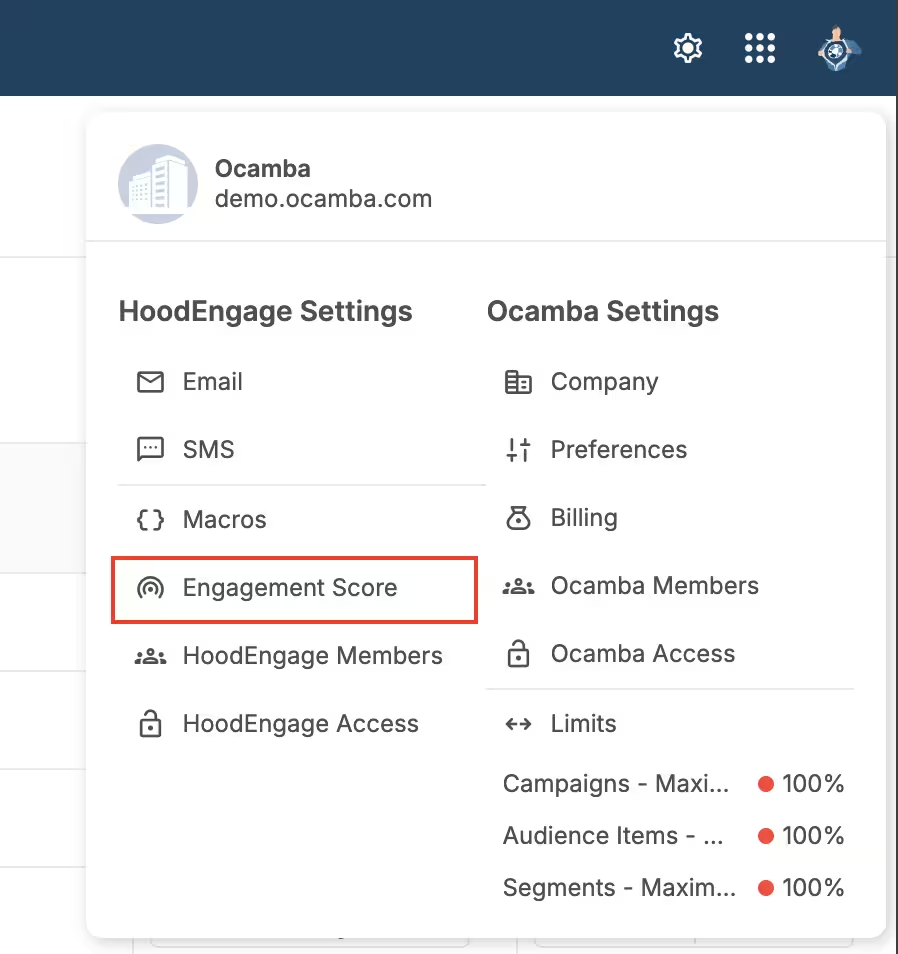
Engagement Score location inside HoodEngage settings
Once you click it, the Engagement Score settings tab will open.
Engagement Score Overview
The Engagement Score module enables you to categorize profiles into Low, Medium, and High engagement levels based on numeric thresholds. These thresholds are fully customizable, giving you control over how your audience is segmented.
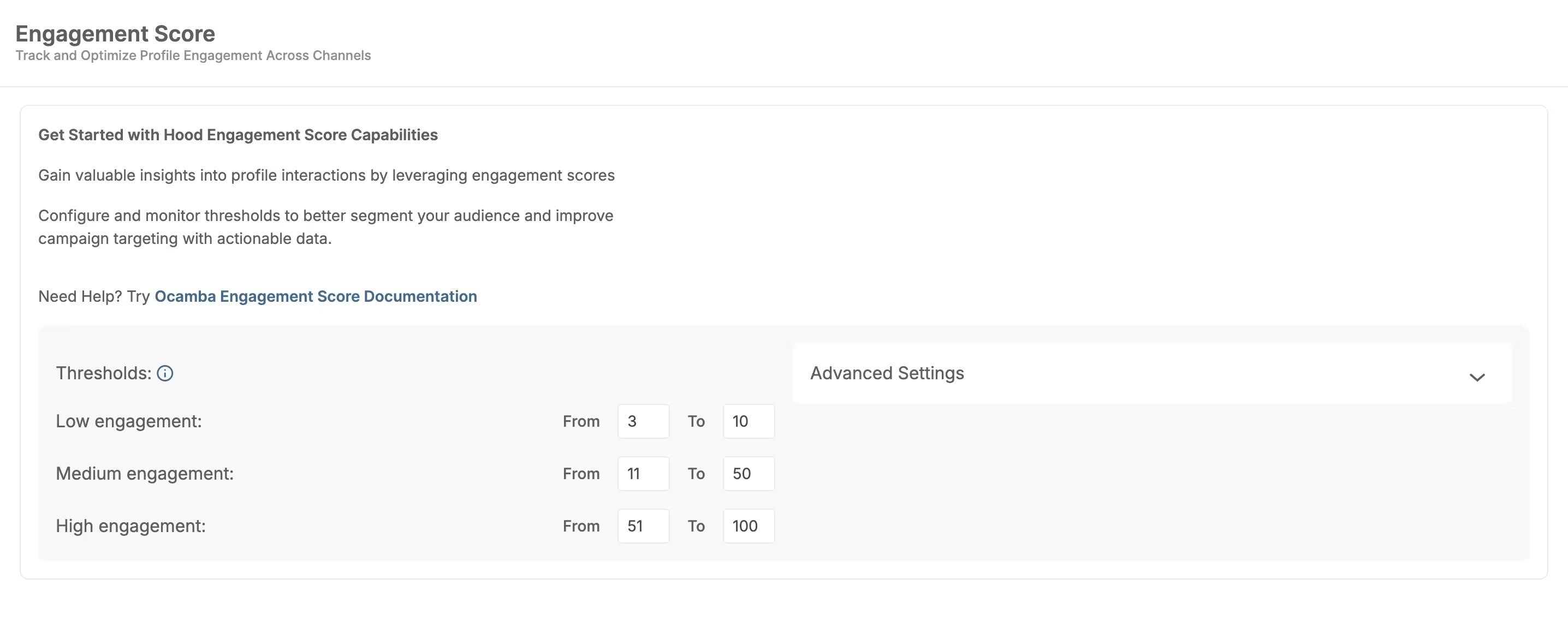
Engagement Score thresholds overview
Engagement levels reflect the intensity of profile interaction. Customize thresholds to categorize profiles into Low, Medium, and High Engagement, helping tailor strategies for better retention and satisfaction.
Threshold Configuration
Each engagement level contains a From → To numeric range.
By default, you’ll see three configurable categories:
- Low engagement - Profiles with scores in this range are considered low engagement.
- Medium engagement - Profiles with scores in this range are considered medium engagement.
- High engagement - Profiles with scores in this range are considered high engagement.
You can freely edit the numeric values for each range.
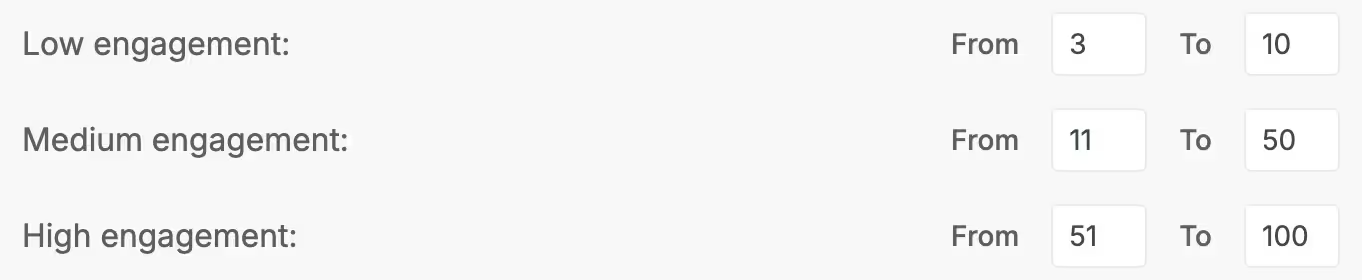
Editable threshold ranges for Low, Medium, and High engagement
How Thresholds Work
Every profile in your audience receives a total engagement score calculated from various actions (clicks, purchases, etc.).
Depending on the resulting number, a profile automatically falls into:
- Low → least engaged profiles
- Medium → moderately engaged profiles
- High → highly engaged profiles
These levels can be used to improve segmentation, personalize campaigns, or identify valuable users.
Advanced Settings
Advanced Settings is shown directly below Thresholds. It lists scoring options for key profile actions:
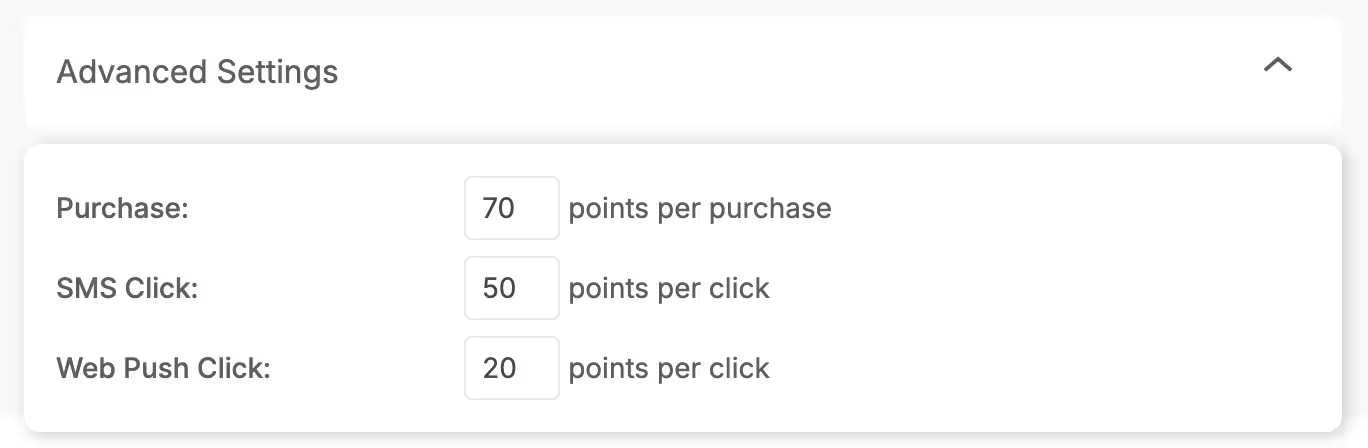
Advanced Settings options
The actions currently available are:
- Purchase — Points awarded per purchase event.
- SMS Click — Points awarded per SMS link click.
- Web Push Click — Points awarded per web push notification click.
Each of these fields accepts a numeric value. When a profile performs the action, its Engagement Score increases accordingly.
Example:
If Purchase = 70, then a user completing a purchase receives +100 points.
More actions may be added in future releases.
Where Engagement Score Appears in HoodEngage
Engagement Score is displayed in several important parts of HoodEngage to give you quick insight into how active a profile is.
Profiles List (Audience → Profiles)
In the Profiles table, you will find a dedicated Engagement column.
Each profile has a badge indicating:
- Low
- Medium
- High
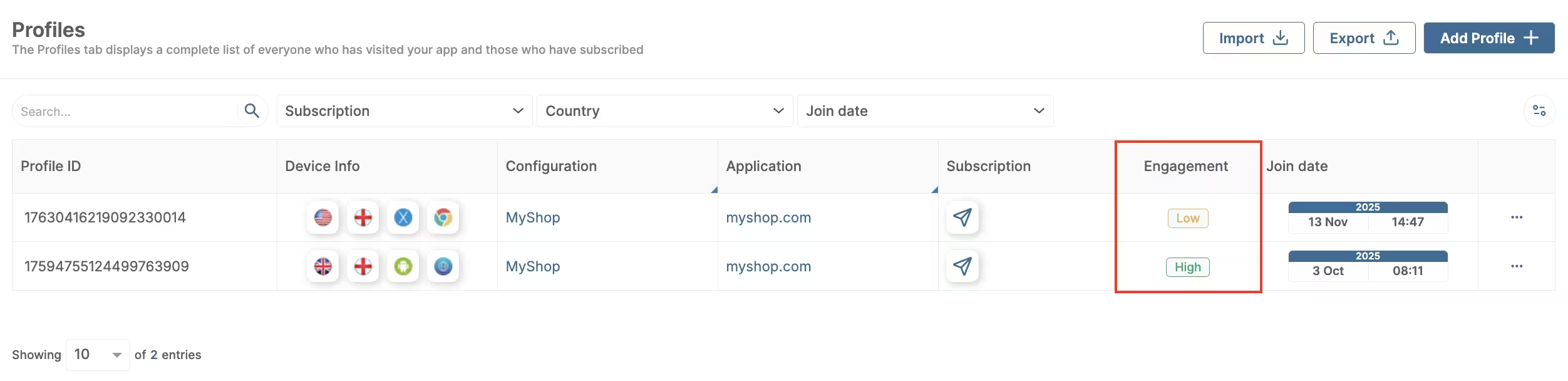
Engagement badge displayed in the Profiles table
These badges help you quickly assess your audience quality and segment profiles more efficiently.
How Engagement Score Affects Campaign Targeting
Although deeper integrations with targeting and automation are still under development, Engagement Score already provides strong value:
- You can manually segment profiles based on badges
- You can use ranges to identify high-value customers
- You can gradually build scoring models for your business workflows
As the feature evolves, Engagement Score will integrate with more HoodEngage components such as automation flows, segmentation rules, and predictive analytics.