
Profile lists
To access Profile lists, navigate to Audience > Profile lists.
Here, you will find an overview of all profile lists with the list name, description, time of creation, and time of update.
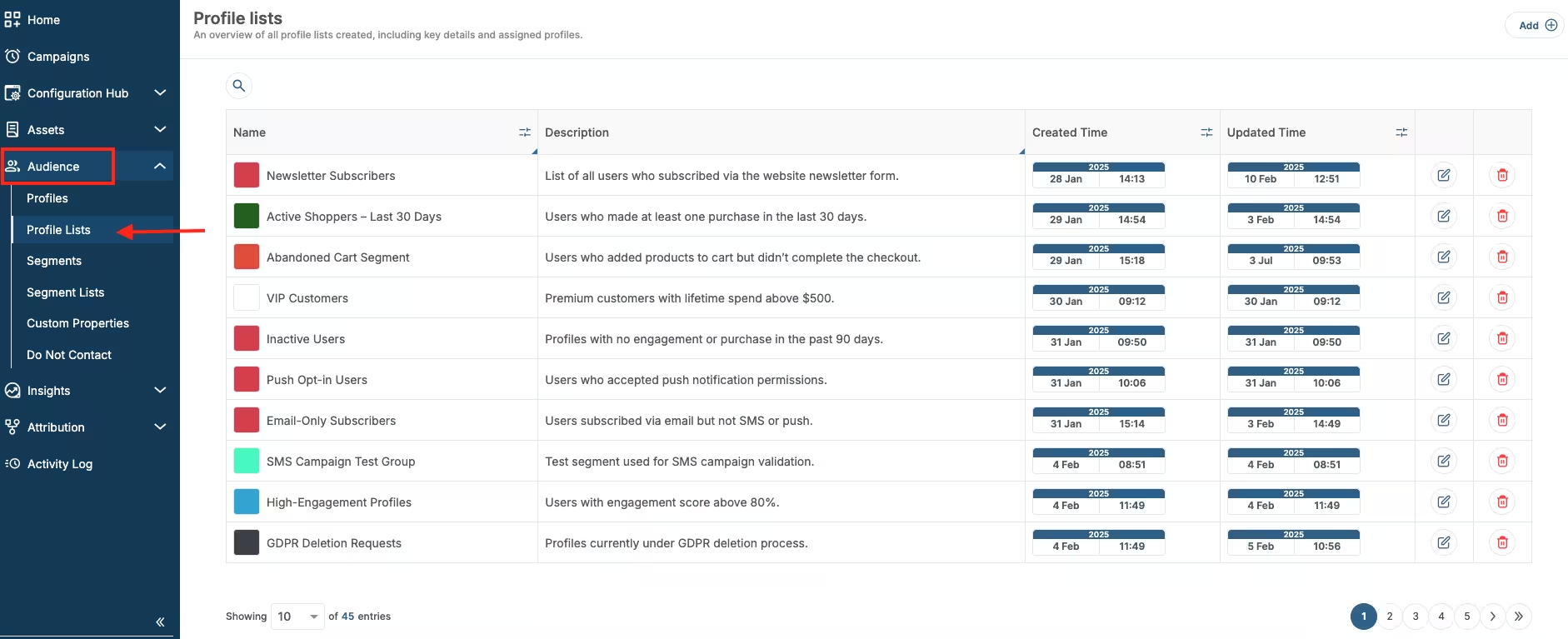
Profile list location
To edit an existing profile list, click on the Edit icon next to the list you want to edit.
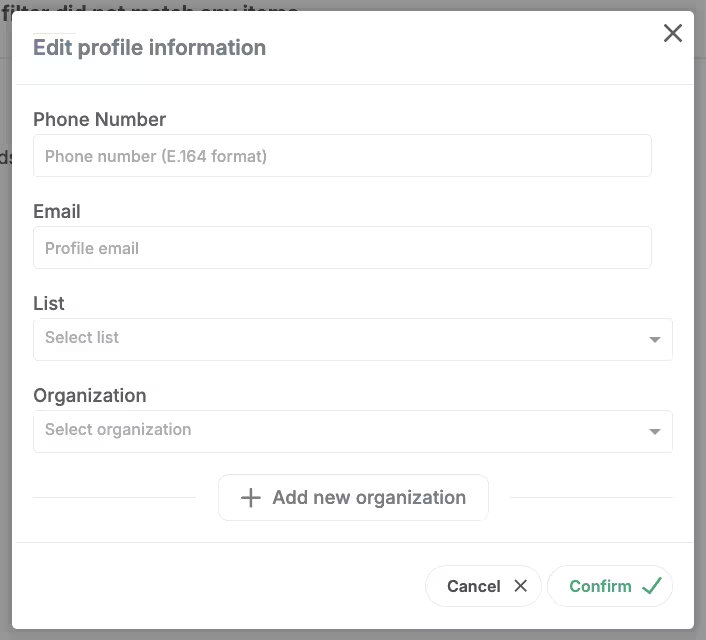
Edit profile info
To create a new list, click on the Add button in the top right corner.
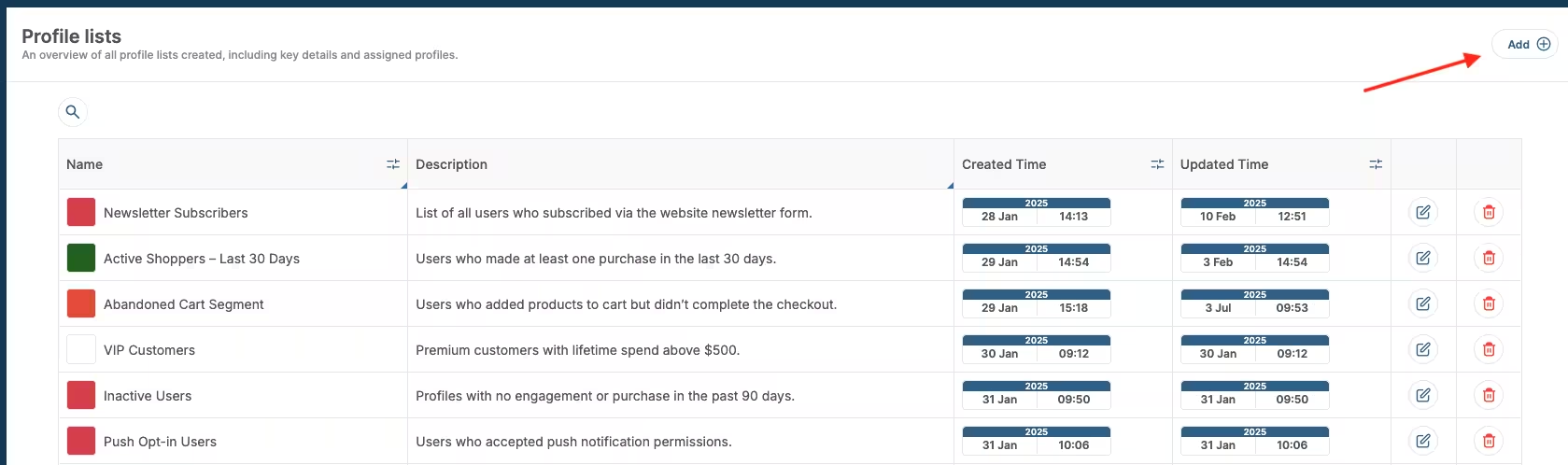
Add new profile list
Add profile to profile list
To add profile to a profile list, go back to Audience > Profiles.
Click on the profile you wish to add, and in the top right corner, click Profile actions > Edit profile.
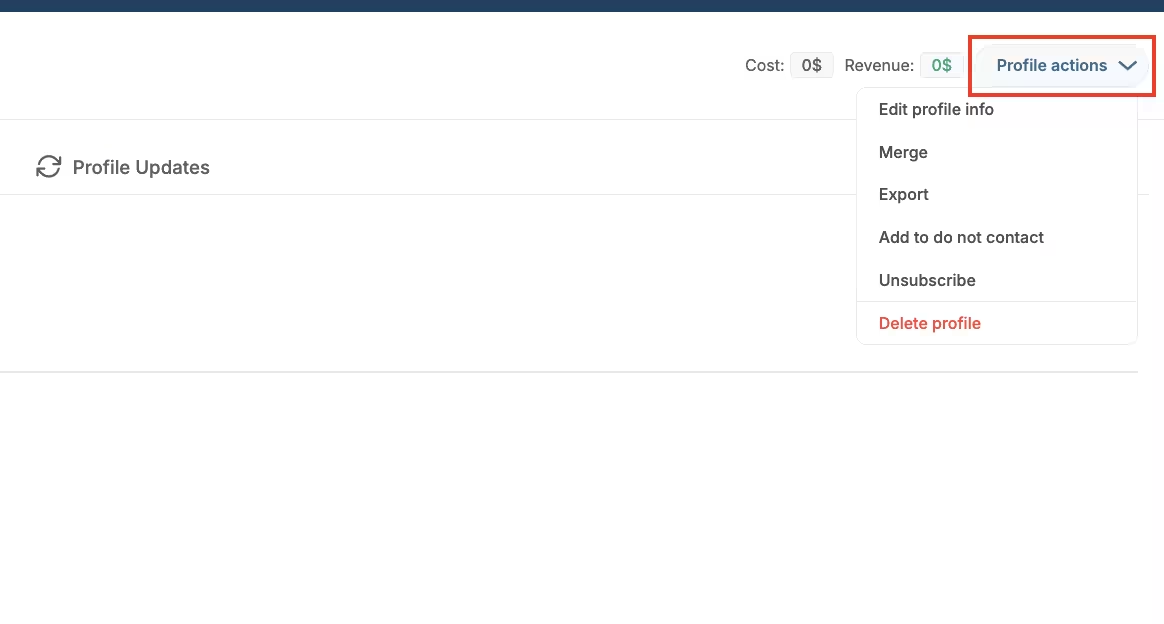
Profile actions
In the edit profile form, click on Lists, and choose a list to which you want to add profile.
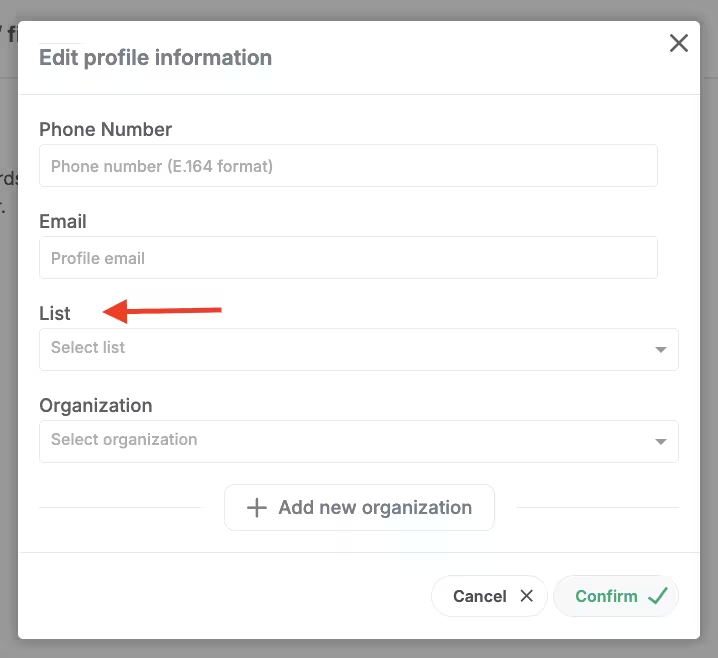
Add to list
Click Confirm to save the changes.
Using Profile lists for audience targeting
You can use profile lists to target audience.
Go to Campaigns > Add (top right corner) > choose a channel and a respective template > Target audience.
Click on the cog button in the top right corner of the Target audience sections.
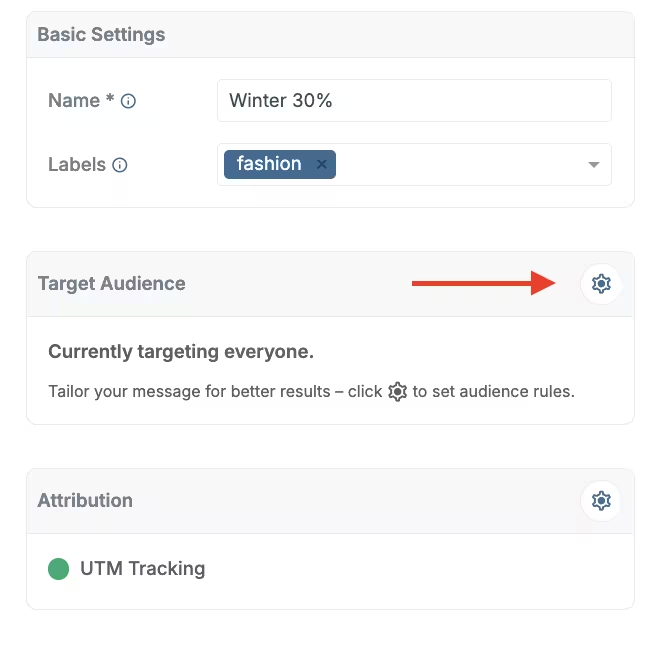
Target audience campaigns
Choose Profile lists.
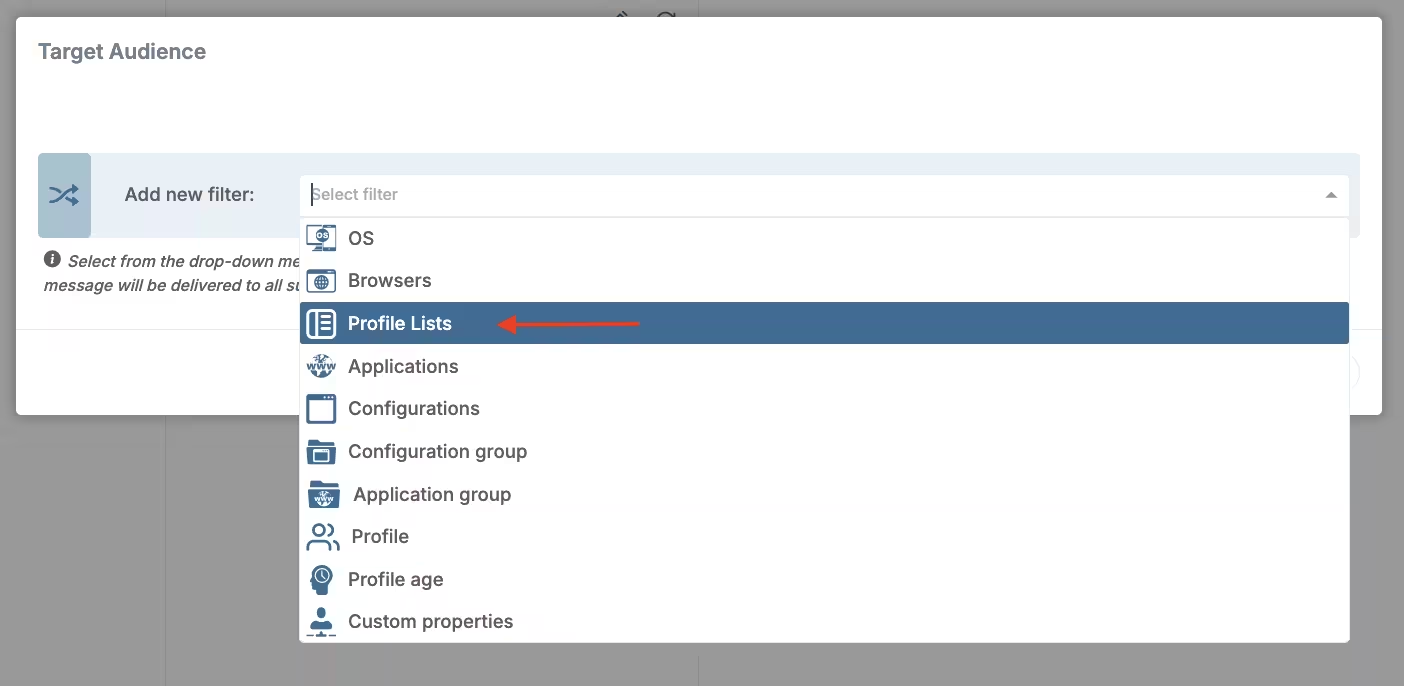
Target audience profile lists
Then, under Profile lists, choose IS or IS NOT, and then one or more profile lists you want to include or exclude.
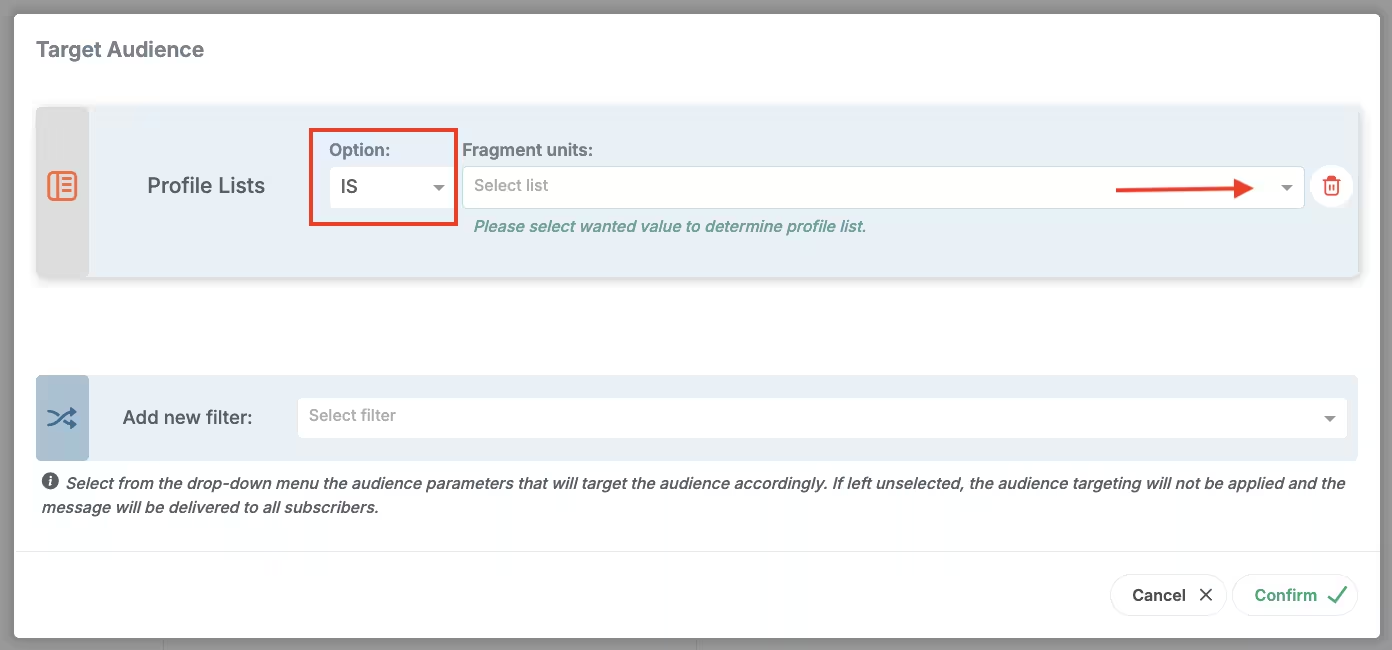
Profile lists pick list
Click Confirm to save changes.