
Targeting with Custom Properties
Custom properties are key-value pairs that allow you to store and use user-specific data for precise audience targeting. This guide explains how to leverage custom properties to create highly targeted campaigns.
To add,edit or view custom property values for a profile:
- Navigate to Audience > Profiles and open the desired profile.
- Switch to the Custom Properties tab.
- Click the gear icon (top-right) and add the needed Key and Value pairs.
Here, you’ll see all custom data that has been set for the profile, displayed as key-value pairs.
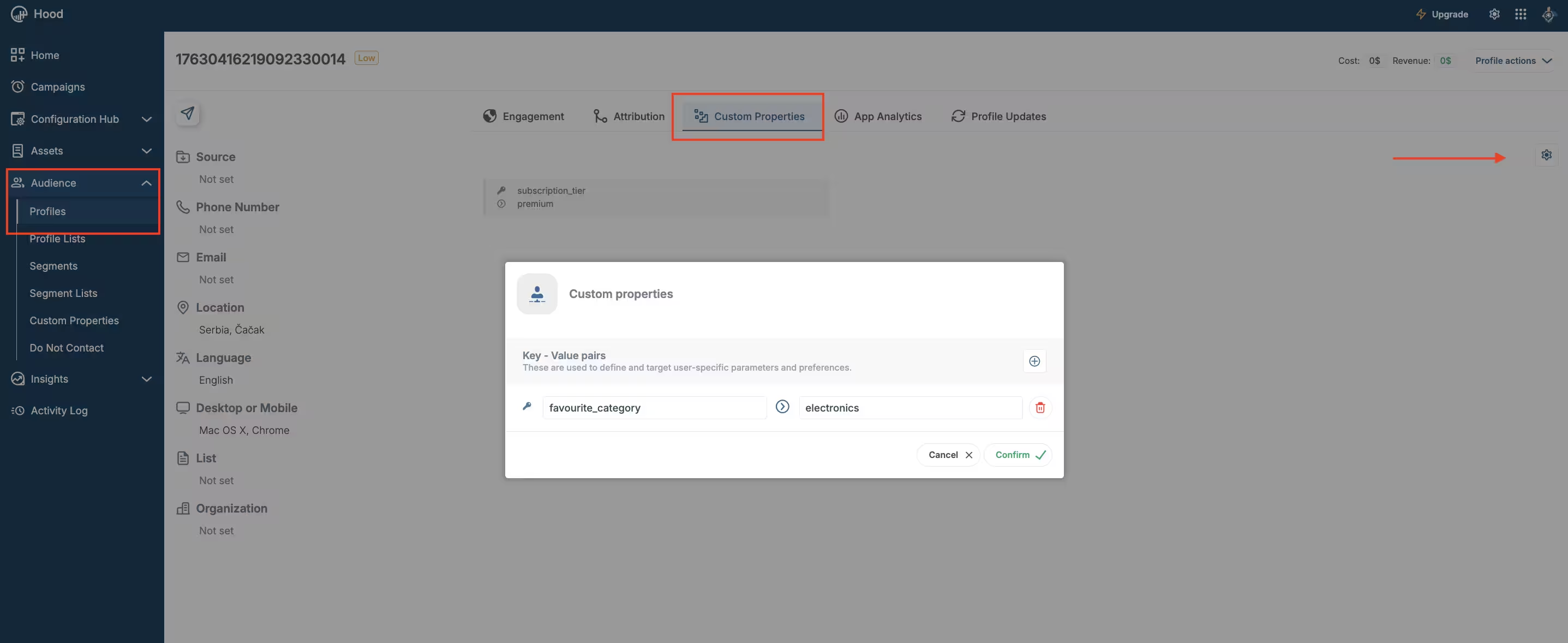
Adding and reviewing custom properties for the selected profile
Understanding Custom Properties
Custom properties are user-specific parameters and preferences stored as key-value pairs. Each profile can have multiple custom properties that define various attributes, behaviors, or preferences.
Key-Value Pairs
Custom properties work as key-value pairs where:
- Key: The property name (e.g.,
subscription_tier,favourite_category,last_purchase_date) - Value: The property value (e.g.,
premium,electronics,2024-01-15)
These properties are used to define and target user-specific parameters and preferences, enabling you to create personalized and relevant campaigns.
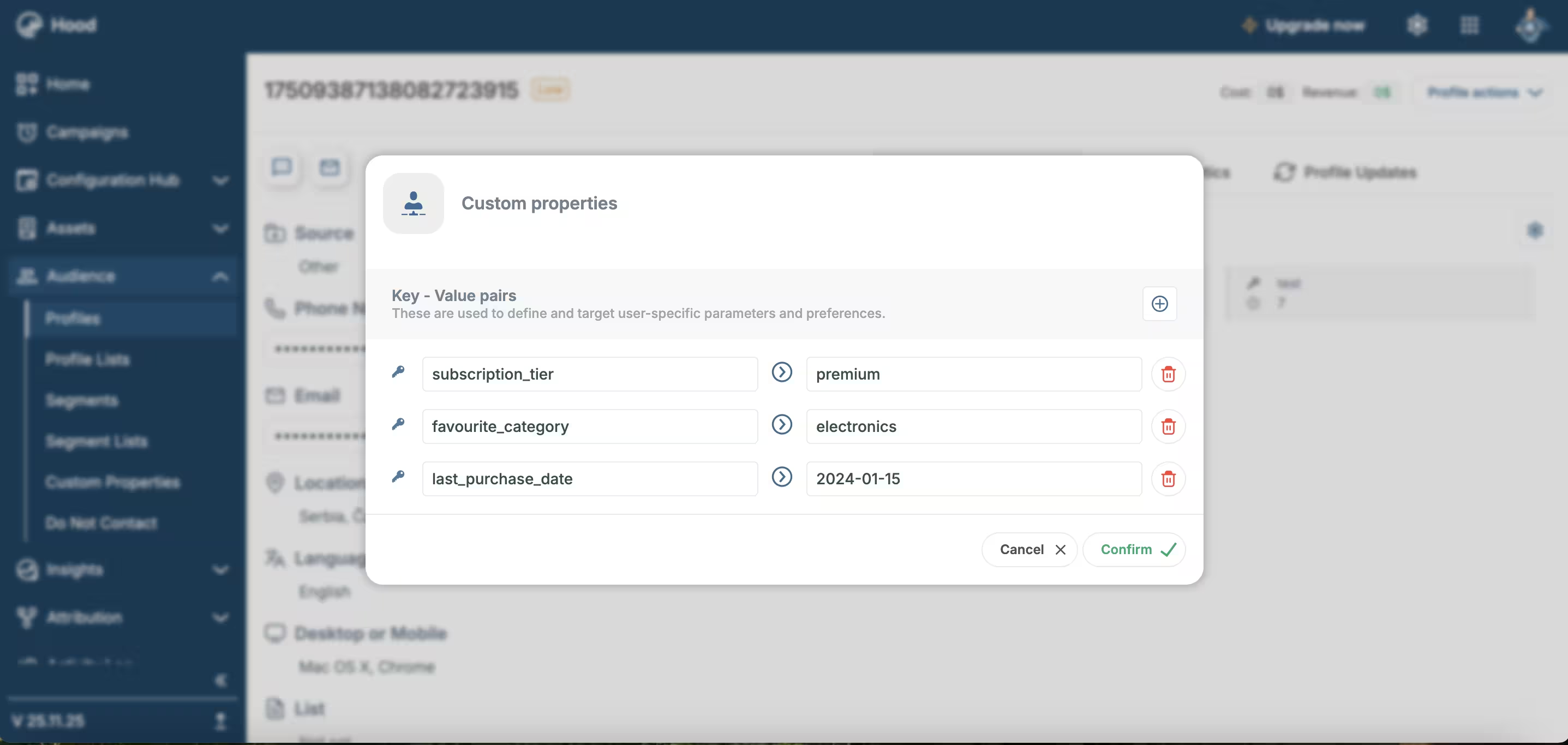
Add custom property keys and values directly within the profile to make them available for targeting
Using Custom Properties for Targeting
Custom properties can be used in several ways to target your audience:
Creating Segments with Custom Properties
You can use custom properties as targeting criteria when creating segments:
- Navigate to Audience > Segments
- Click Add to create a new segment
- Select Custom Properties from the targeting options
- Define your targeting criteria based on custom property keys and values
- Save the segment
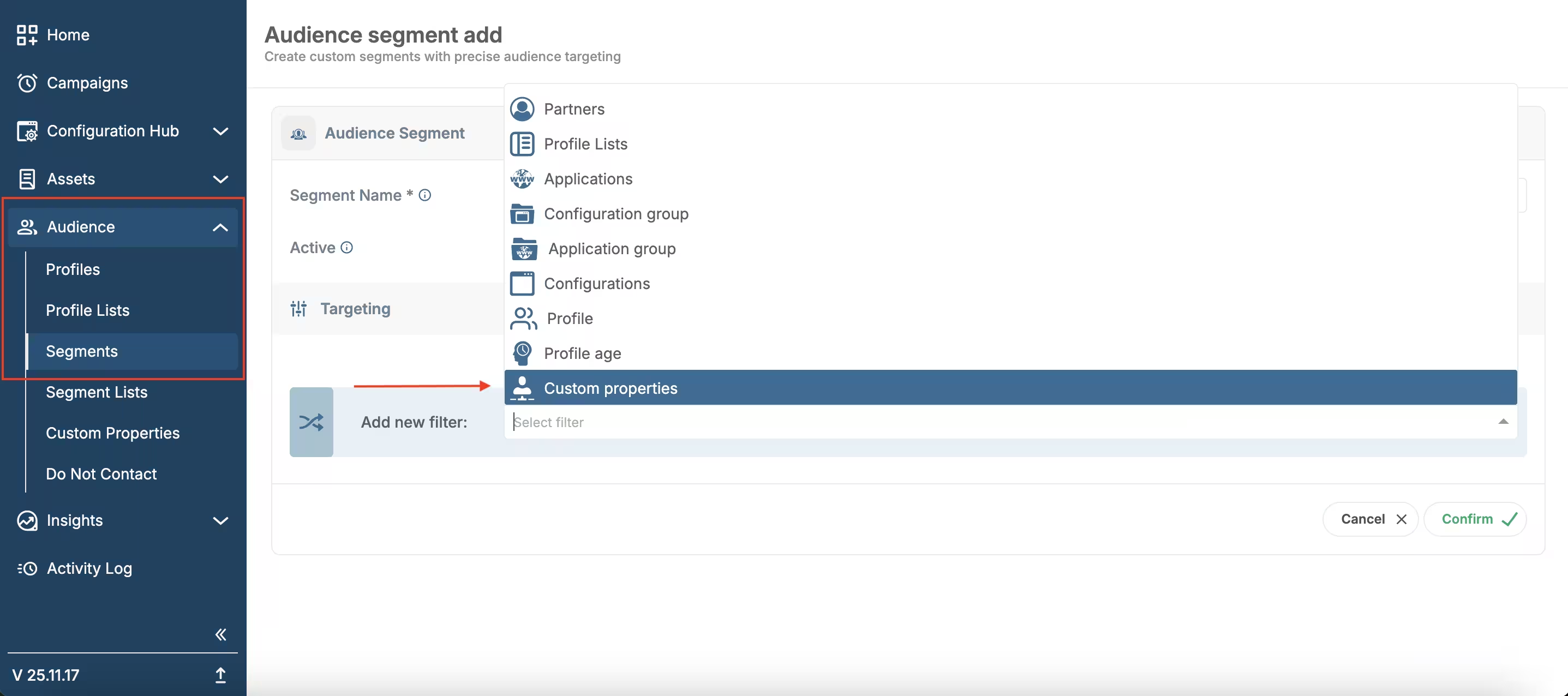
Creating Segments with Custom Properties
For more information, see Segments & Segment lists.
Targeting Examples
Here are practical examples of how to use custom properties for targeting:
Subscription-Based Targeting
- Use case: Send exclusive offers to premium subscribers
- Custom property:
subscription_tier: premium - Targeting: Create a segment where
subscription_tierequalspremium - Campaign: Send early access notifications, exclusive discounts, or VIP content
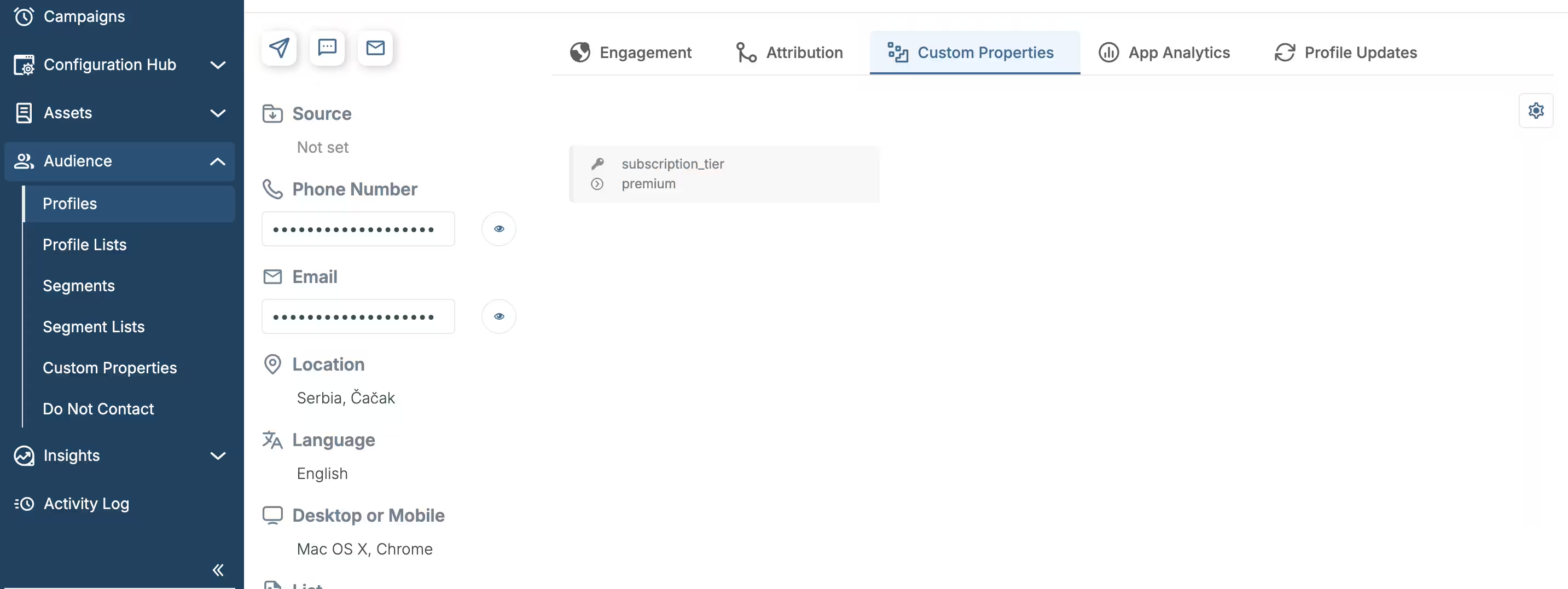
Configuring custom properties at the profile level
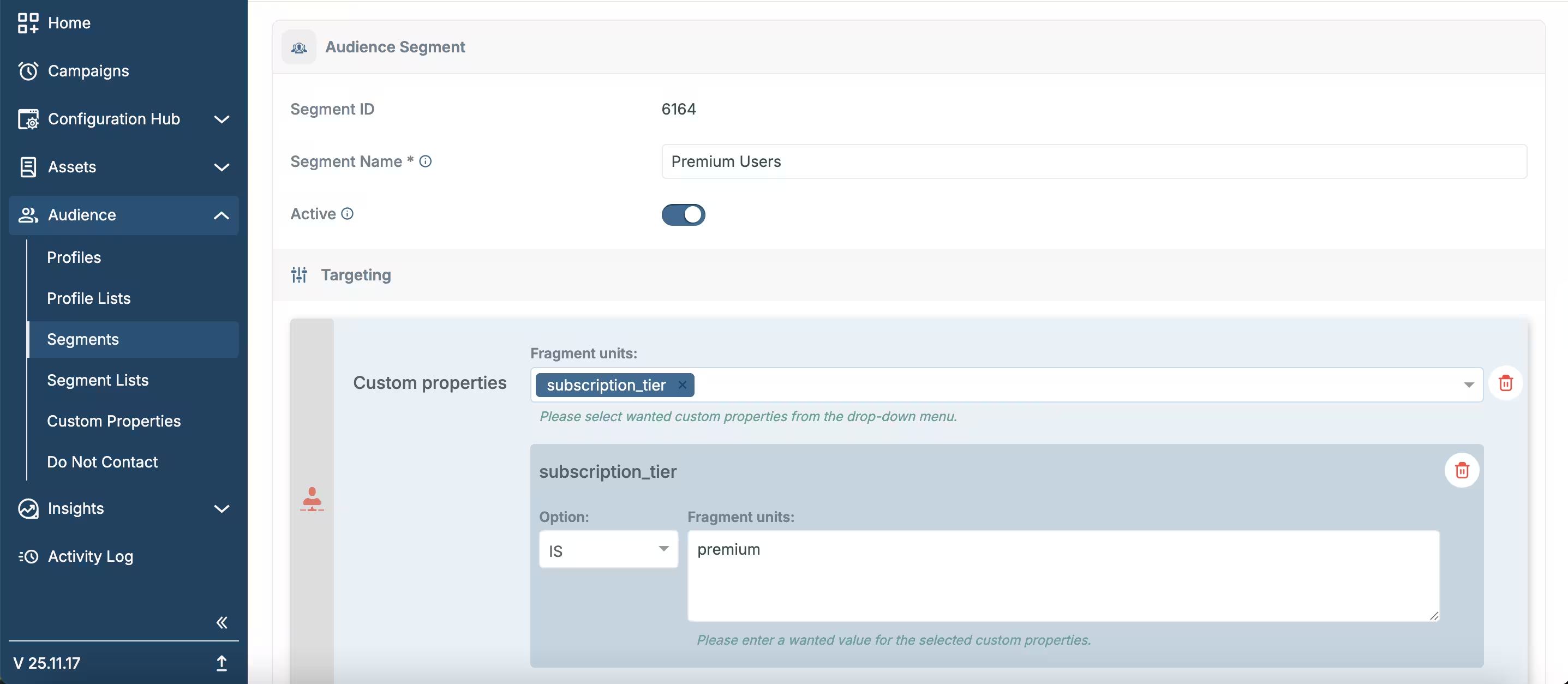
Subscription-Based Targeting example using custom properties
Product Preference Targeting
- Use case: Exclude users from specific category campaigns
- Custom property:
favourite_category(with values likeelectronics,fashion,home, etc.) - Targeting: Create a segment where
favourite_categorydoes not equalelectronics - Campaign: Send product recommendations and promotions to users who prefer other categories
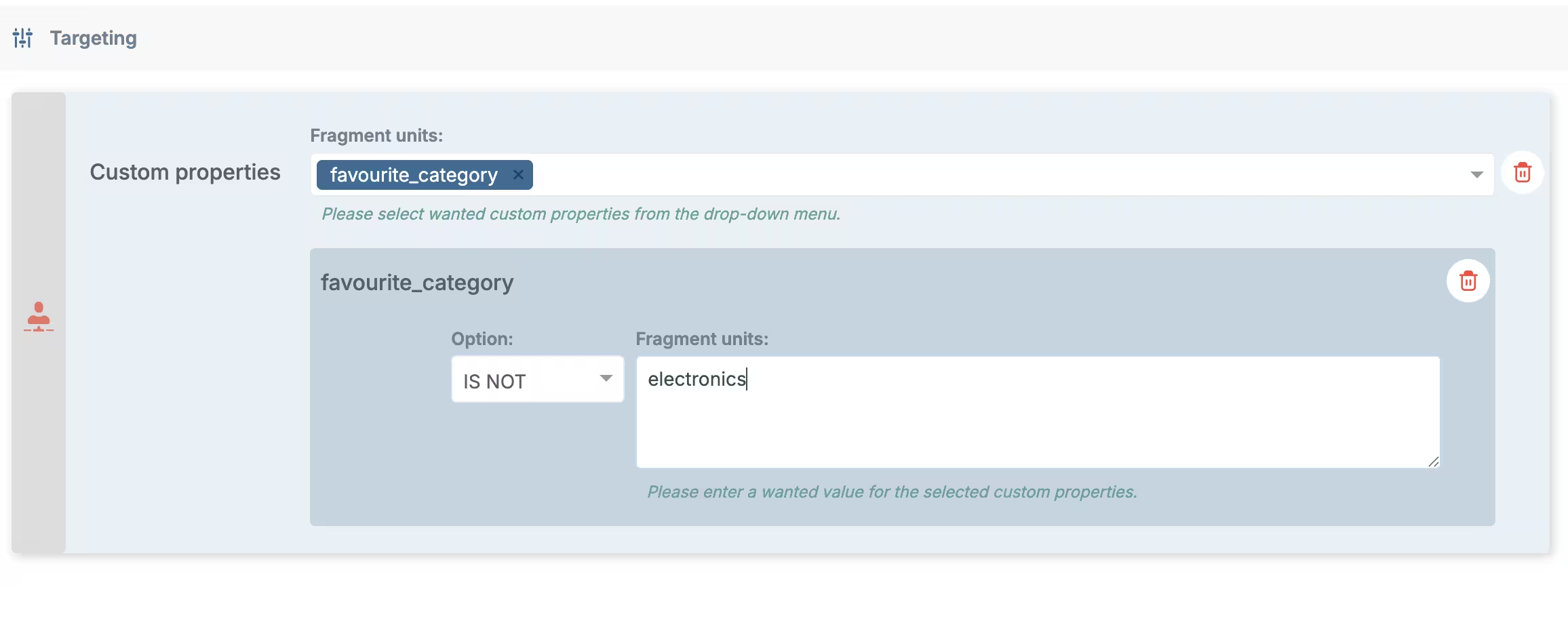
Product Preference Targeting example using custom properties
Behavioral Targeting
- Use case: Target users who have made a purchase (regardless of date)
- Custom property:
purchase_date - Targeting: Create a segment where
purchase_dateexists - Campaign: Send re-engagement offers, abandoned cart reminders, or special incentives to users with purchase history
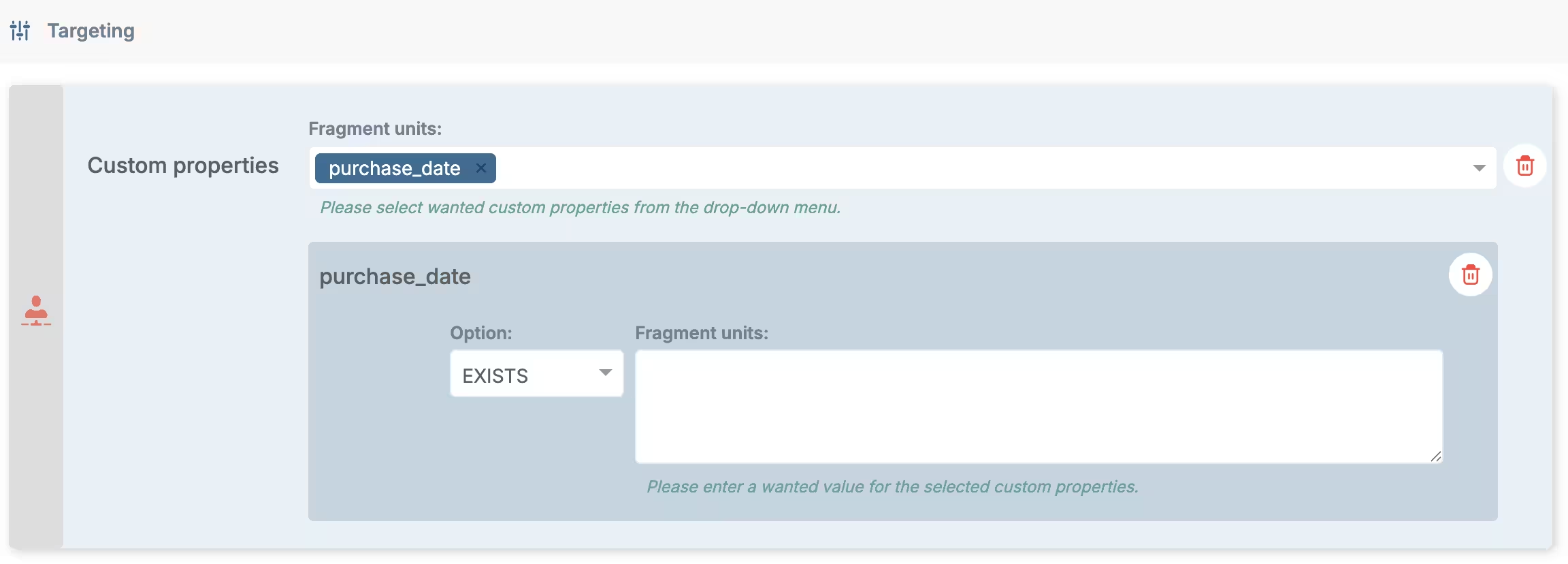
Behavioral Targeting example using custom properties
Lifecycle Stage Targeting
- Use case: Target users at different stages of their journey
- Custom property:
lifecycle_stage(with values liketrial,active,at-risk,churned,premium) - Targeting: Create segments for trial users, active users, at-risk users, etc.
- Campaign: Send onboarding content, feature highlights, or retention offers
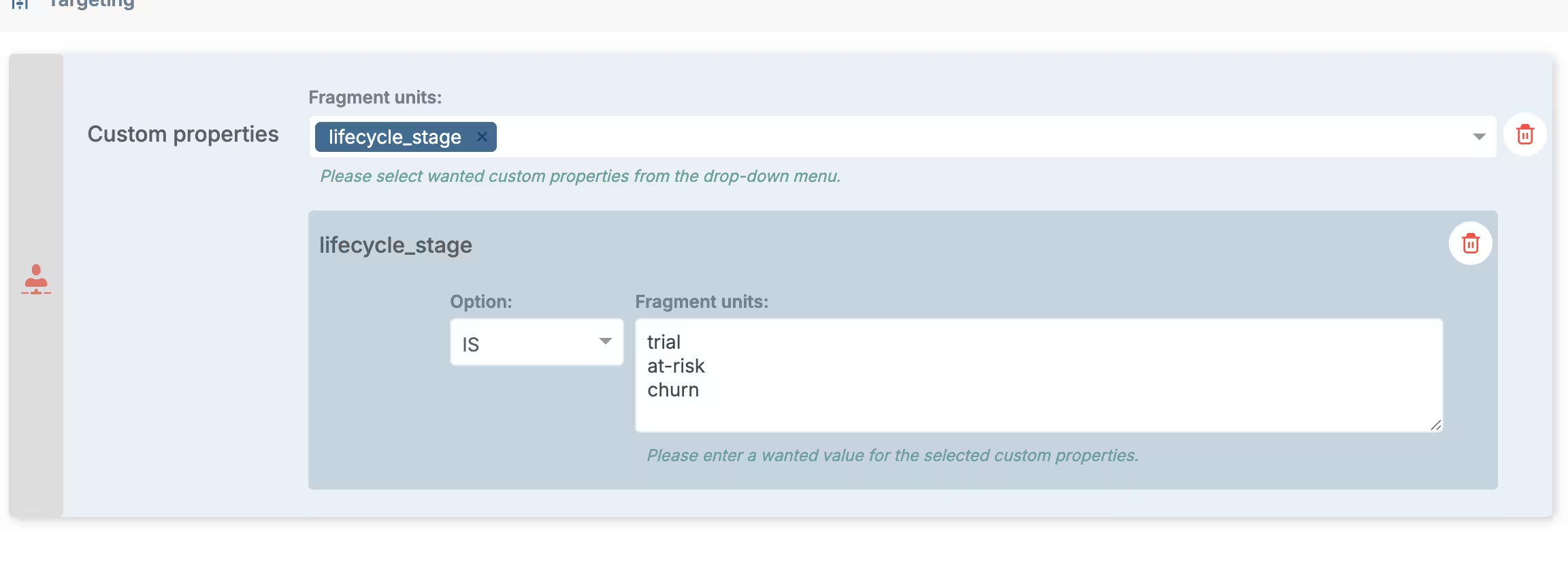
Lifecycle Stage Targeting example using custom properties
Best Practices
1. Consistent Naming
Use consistent naming conventions for your custom property keys:
- Use lowercase with underscores (e.g.,
subscription_tier,last_purchase_date) - Avoid spaces and special characters
- Keep names descriptive but concise
2. Data Types
Ensure values are stored in consistent formats:
- Dates: Use a standard format (e.g.,
YYYY-MM-DD) - Numbers: Store as strings or numbers consistently
- Categories: Use predefined values to ensure consistency
3. Regular Updates
Keep custom properties up to date:
- Update properties when user behavior changes
- Remove outdated properties
- Regularly review and clean up unused properties
4. Privacy Considerations
Be mindful of privacy when using custom properties:
- Some properties may contain personally identifiable information (PI data)
- Mark PI properties appropriately in Custom Properties settings
- Ensure compliance with data protection regulations
Combining Custom Properties with Other Targeting Options
Custom properties work best when combined with other targeting options:
- Profile Lists: Combine custom property targeting with profile lists for more precise segmentation
- Segments: Use custom properties as one of multiple criteria in segment creation
Related Documentation
- Profiles & Profile lists - Learn how to view and manage profiles with custom properties
- Segments & Segment lists - Learn how to create segments using custom properties
- Custom Properties Settings - Learn how to define and manage custom property fields