
Email setup overview
Why good email campaigns matter
Well-configured email campaigns help you reach the right recipients at the right time, with consistent sender identity and reliable delivery.
You can expect benefits like:
- Higher deliverability — fewer bounces and less risk of messages landing in spam
- Better engagement — more opens and clicks when your sender settings are correct
- More trust — consistent sender email and sender name improve recognition
- Fewer setup issues — smoother validation and easier troubleshooting when something goes wrong
Email setup
Follow the steps below to access your Email settings in HoodEngage and add a new email configuration.
Step 1: Access email settings
In your HoodEngage dashboard, navigate to HoodEngage Settings > Email in the top right corner.
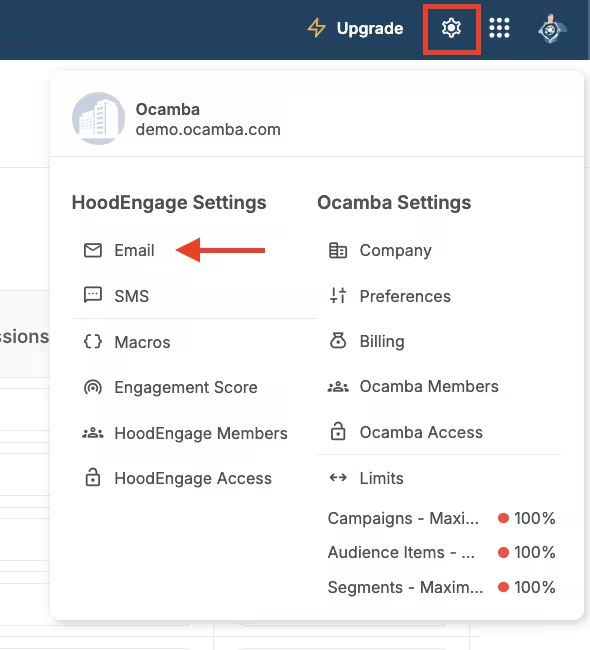
Email setup location in the navigation
Here, you can see the overview of all your email configurations, including provider, sender details, domain, and current configuration status.
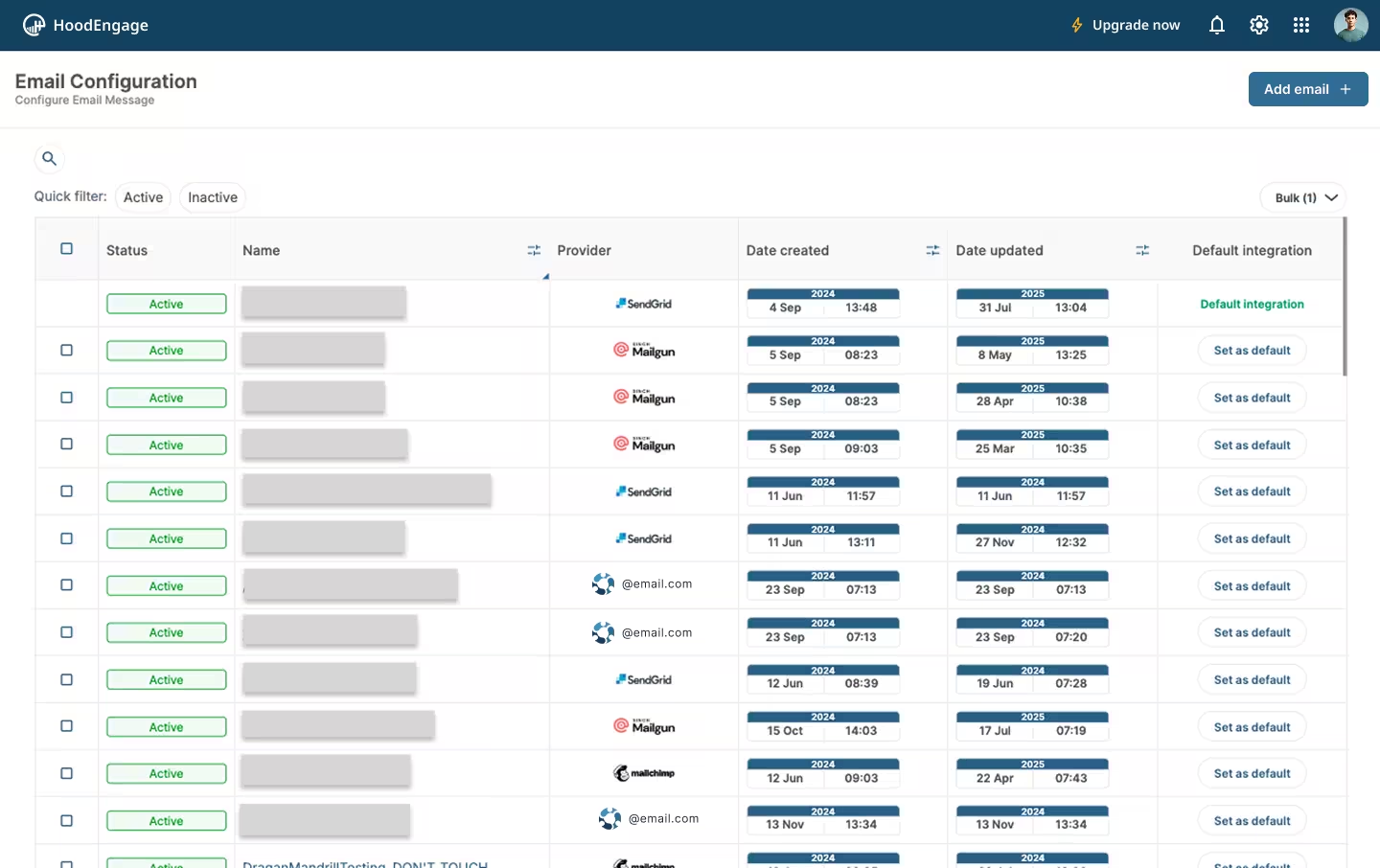
Email configurations overview
Step 2: Add new email configuration
Click on the Add email configuration button in the top right corner.
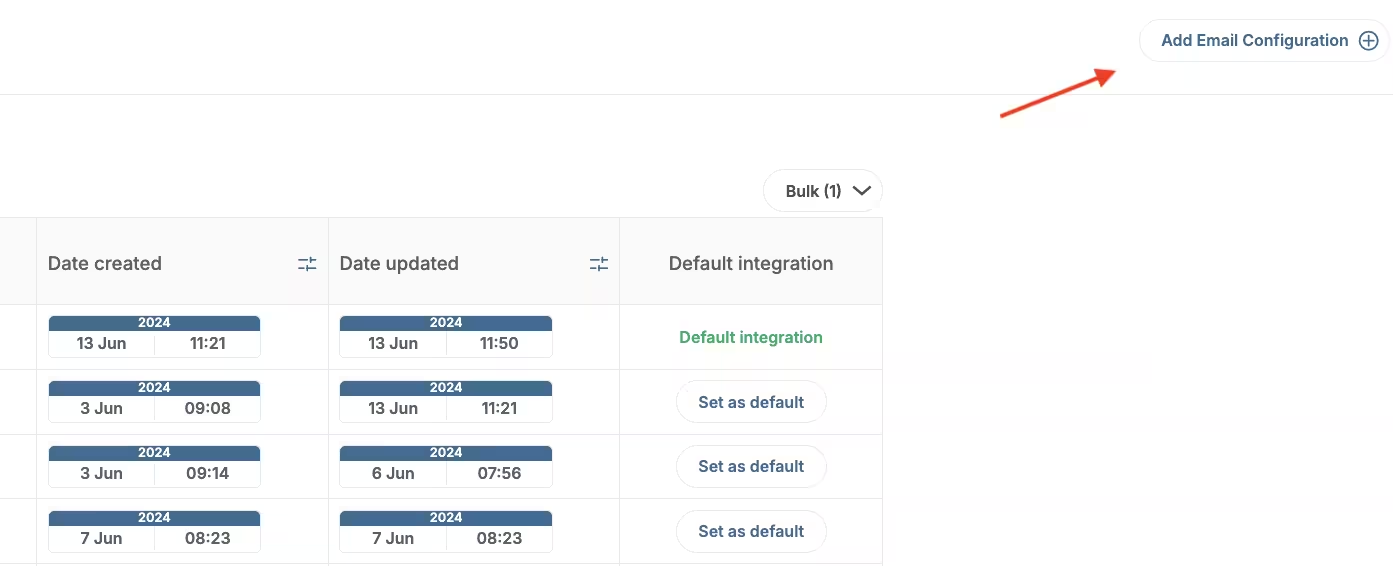
Add new email configuration
After that, you will choose a provider (for example: Ocamba, Mailchimp, SendGrid, or Mailgun) and complete the provider-specific fields.
Value for users
When email setup and verification are configured correctly, users benefit from:
- Reliable delivery - Emails are more likely to reach the inbox instead of spam folders
- Trusted sender identity - Consistent sender details improve recognition and trust
- Relevant communication - Better setup supports targeted and personalized campaigns
- Faster support response - Reply-to configuration helps users contact your team quickly
- Smoother experience - Fewer delivery issues mean fewer missed updates and messages
- More predictable campaign performance - Stable sender setup helps keep delivery and engagement more consistent over time
- Easier troubleshooting - Clear configuration and validation steps make issues faster to identify and resolve
Best practices
- Select the correct DNS provider - This ensures you receive accurate provider-specific instructions
- Copy DNS values exactly - Even small differences in TXT or DMARC values can break verification
- Wait for propagation before re-validating - DNS updates can take several minutes (or longer in some cases)
- Use a clear sender identity - Keep sender name and sender email recognizable and consistent
- Always send a test email first - Confirm delivery and rendering before launching a campaign
- Start with smaller segments - Validate deliverability and engagement before larger sends
- Monitor results regularly - Track bounces, spam complaints, and opens to maintain sender quality
- Keep your sender domain aligned with your brand - Consistent branding improves trust and recipient recognition
- Review sender settings periodically - Update sender name, reply-to email, and defaults when team or workflow changes