
SMS setup overview
Why good SMS campaigns matter
Well-configured SMS campaigns help you reach the right recipients quickly, with a clear sender identity and reliable delivery.
You can expect benefits like:
- Higher deliverability — fewer failed sends when your provider credentials and numbers are correct
- Better engagement — timely messages when routing and defaults are set up properly
- More trust — consistent sender details improve recognition
- Fewer setup issues — smoother validation and easier troubleshooting when something goes wrong
SMS setup
Follow the steps below to access your SMS settings in HoodEngage and add a new SMS configuration.
Step 1: Access SMS settings
In your HoodEngage dashboard, navigate to HoodEngage Settings > SMS in the top right corner.
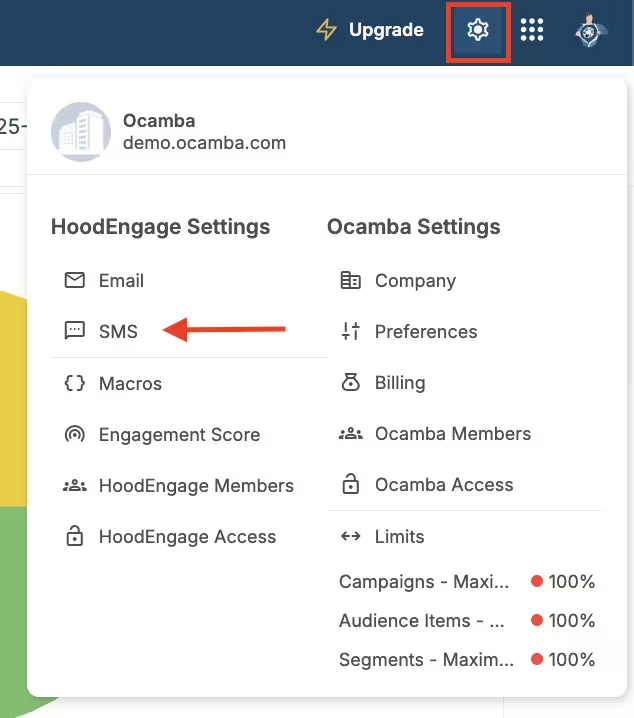
SMS setup location in the navigation
Here, you can see the overview of all your SMS configurations.
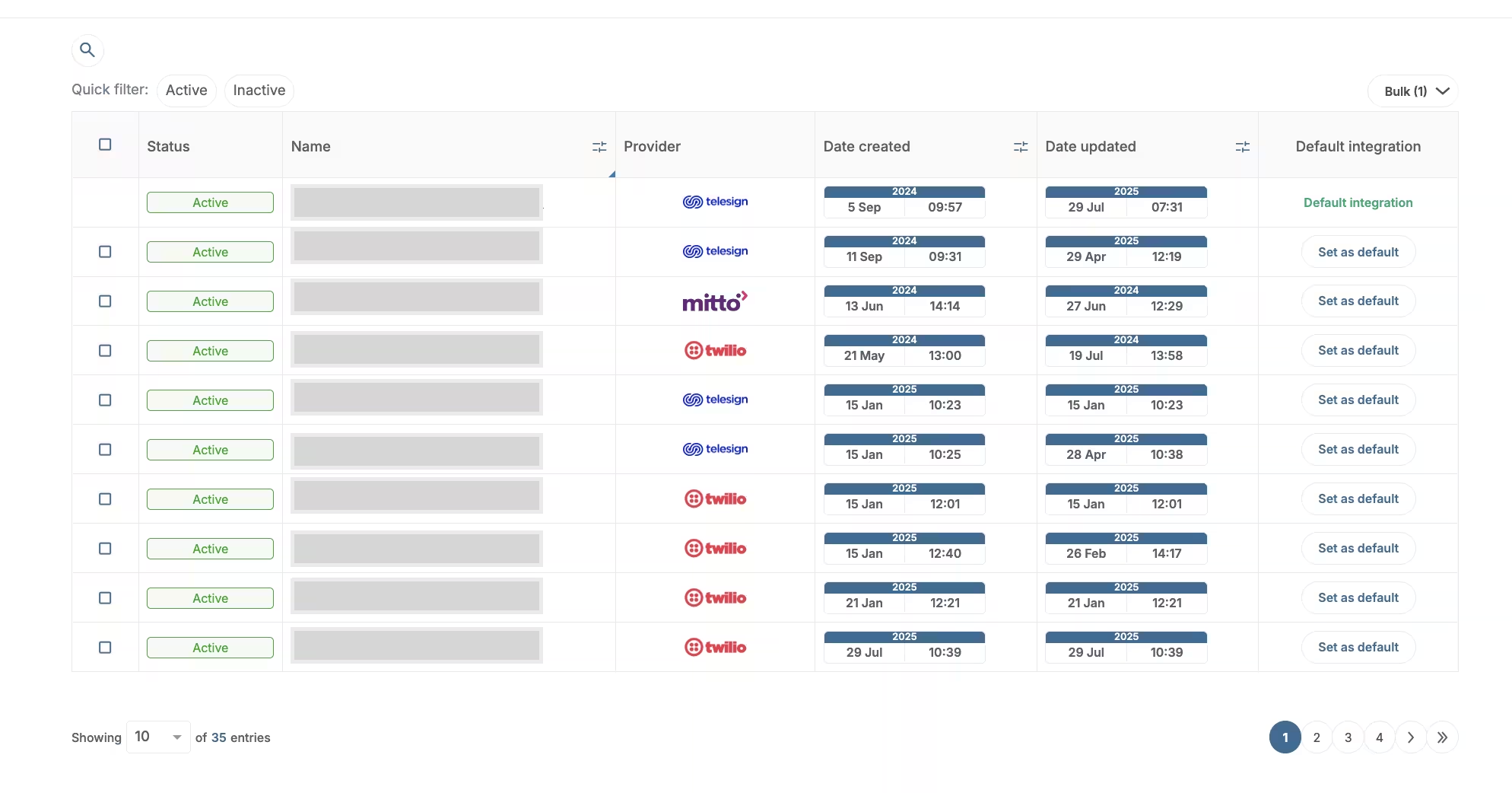
SMS setup overview
Click on any existing SMS configuration to edit its details.
To set a configuration as default, click the Set as default button next to it.
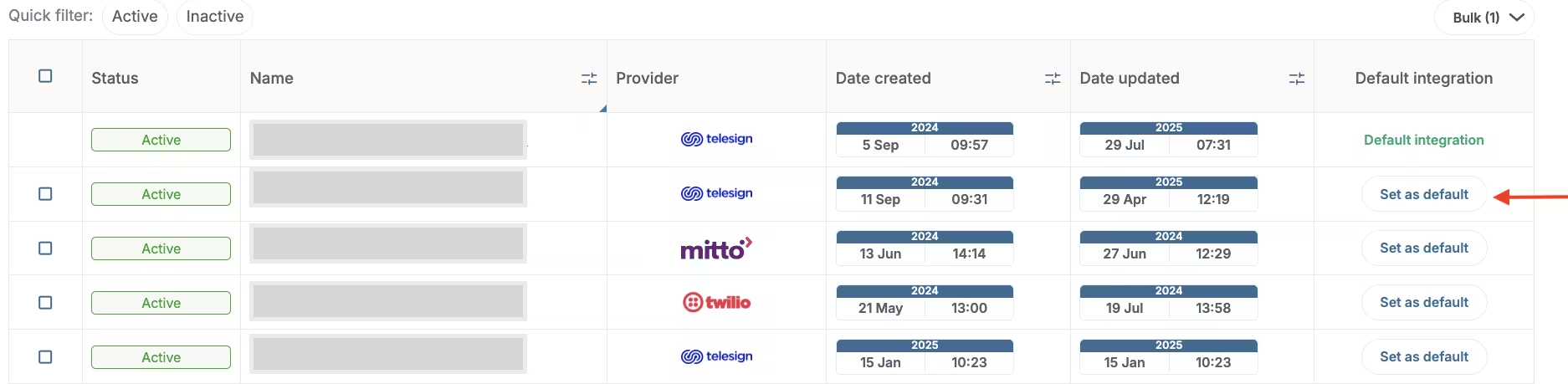
SMS config set default
Setting a configuration as default means that this configuration will appear first as an option when sending SMS in Campaigns.
Step 2: Add new SMS configuration
Click Add SMS configuration in the top right corner.
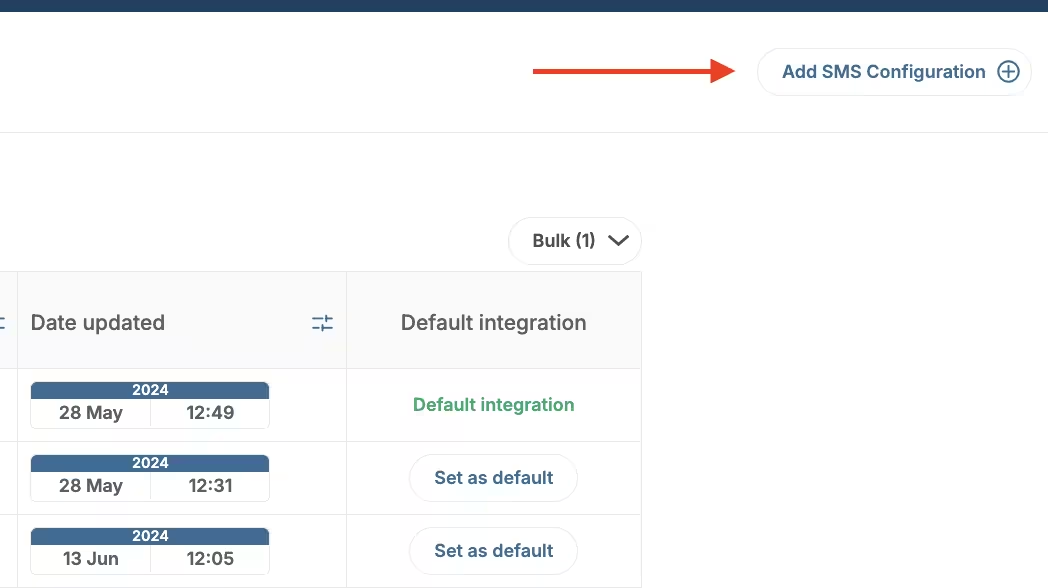
Add SMS configuration
Enter the configuration name, toggle the status to Active, then choose a provider — for example Twilio, Mitto, or Telesign — and complete the provider-specific fields.
For creating SMS message content, utilize Studio. Refer to Creating an SMS template for detailed instructions.