
Telesign SMS setup
Follow these instructions to configure and send Telesign SMS messages using HoodEngage.
Requirements
- Access to an SMS service provider Telesign
- Acquired phone number(s) provided by Telesign with sufficient credit to send messages.
Step-by-Step setup guide
Use this shared guide to access HoodEngage Settings > SMS and open the Add SMS configuration form:
In the Add SMS configuration form, select Telesign as the SMS provider, then complete the following steps.
Specify the Telesign authorization details
Once you have clicked on Telesign as the provider, the system will require the Telesign API and Customer ID to be provided and validated.
Enter your SMS provider’s API key and Customer ID in the appropriate fields. The API key is located on your Telesign dashboard.
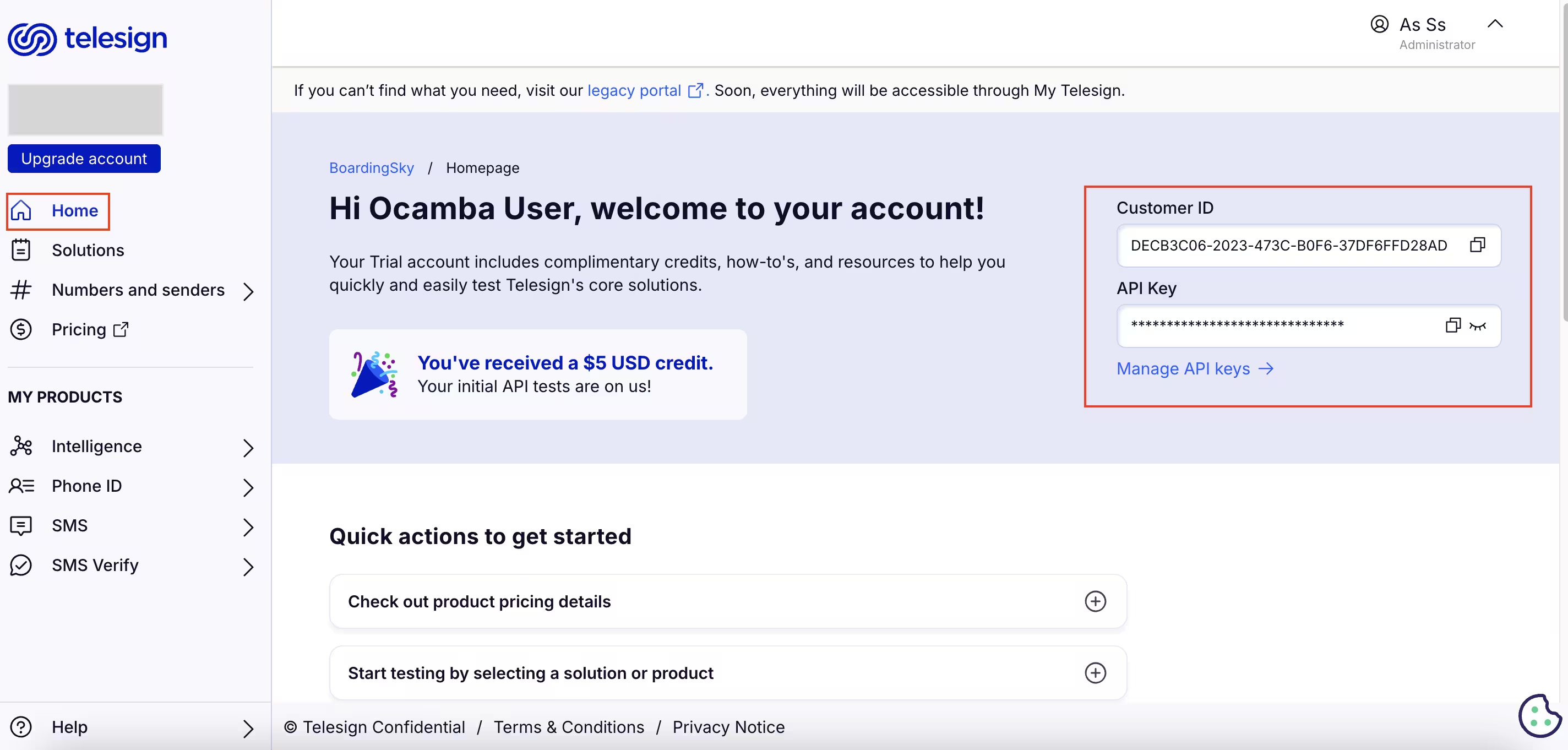
Telesign customer ID and API key
Click on the Validate button in the bottom right corner to authenticate the configuration.
After successful authentication, choose the phone country code and specify the phone number to send a test SMS.
Upon successful receipt of the test SMS, complete the configuration by clicking the Confirm button in the bottom right corner.