
Do not contact list
The Do not contact list allows administrators to manage contacts that should not receive communications.
This feature is crucial for maintaining compliance with regulatory requirements, respecting customer preferences, and aligning with internal business rules.
To access Do not contact list, navigate to Audience > Do not contact.
Here, you will have an overview of all contacts in the Do not contact list.
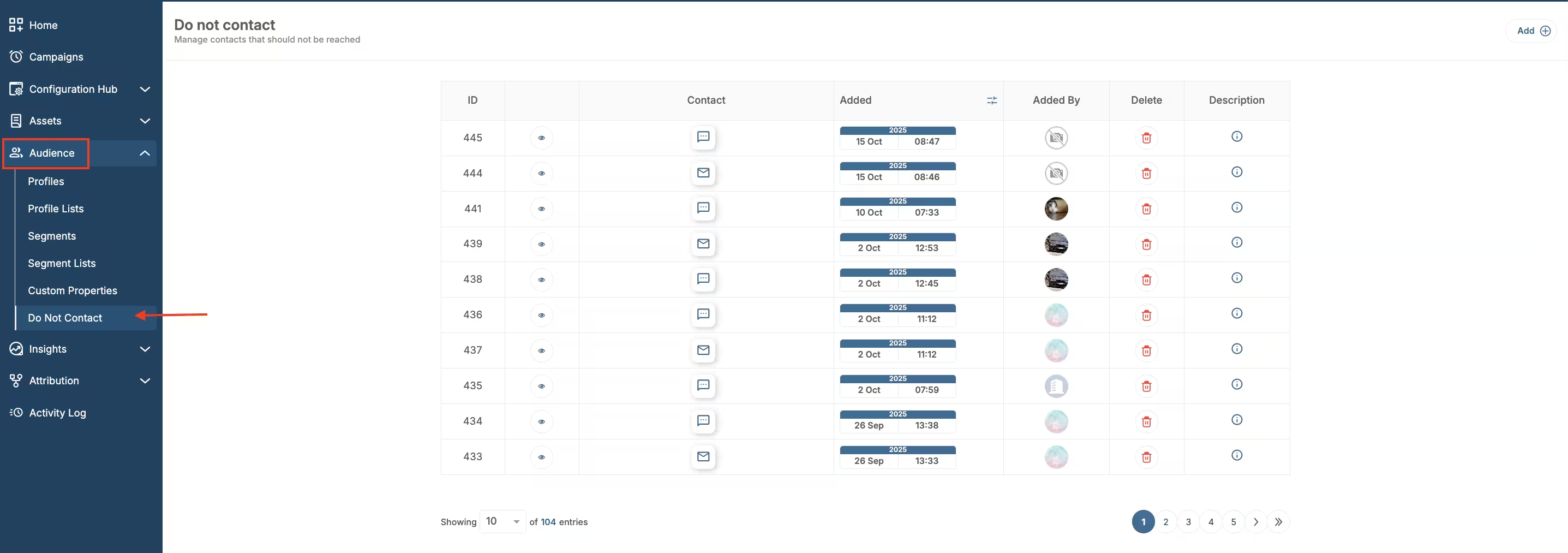
Do not contact location
There are (from left to right):
- ID of the Do not contact list entry;
- Channel shows which communication channel has been added to the list - Push, Email or Phone;
- Contact shows which contact has been added to the list;
- Description gives the reason this contact was added to the Do not contact list;
- Added date shows when the contact was added;
- Added by shows the person who added that channel to the Do not contact list.
You can search the list from the search field. Open Filters to narrow the list by Channel or Added date. Channel can be filtered by Email or SMS. Added date opens a date picker, where you choose the date. The list can also be sorted by Added date (Newest first) or Added date (Oldest first).
To add a new contact to the Do not contact list, click the Create button in the top right corner.
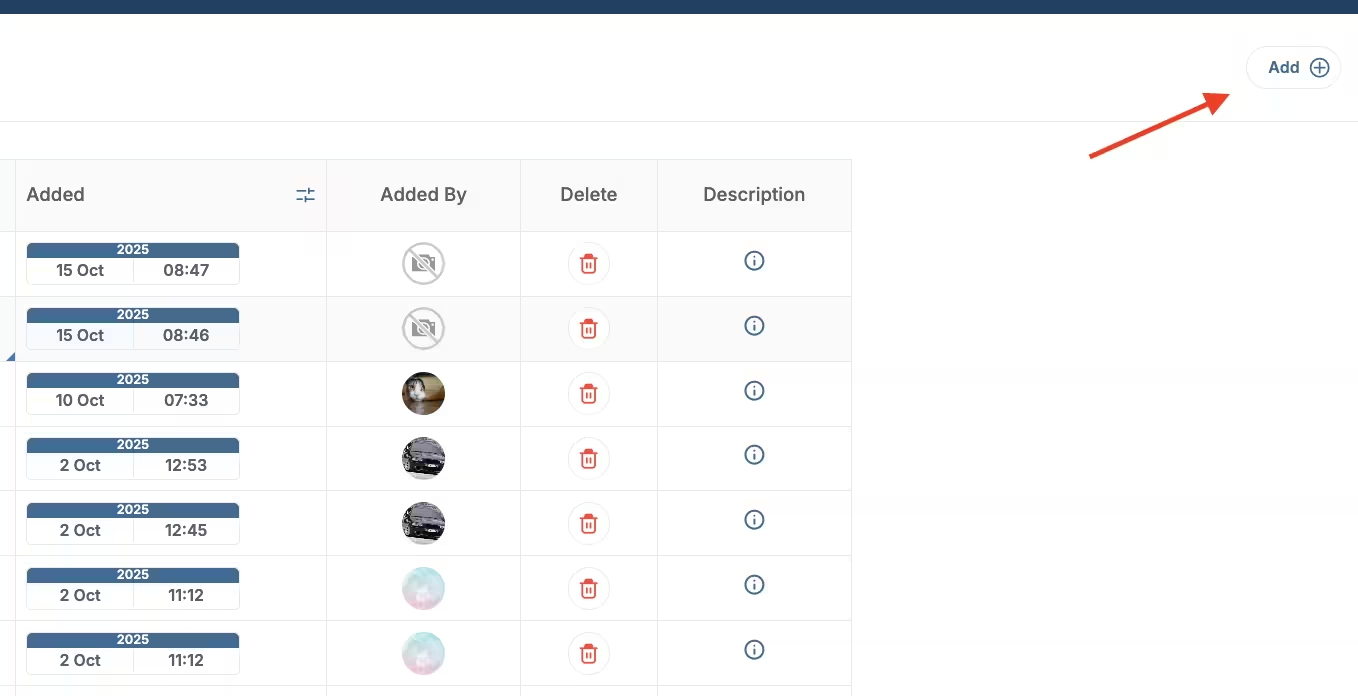
Add to do not contact
Specify the contact you want to add to the Do not contact list. Add a description for record-keeping. Click Create to complete adding contact.
Also, another way to add a contact to the Do not contact list is to go to Audience > Profiles and click on a profile. Within the Overview tab, go to Communication channels.
Click the eye icon next to the channel you want to block. A pop up informs you that this action will be logged for auditing purposes. If you agree, click View data to reveal the contact information.
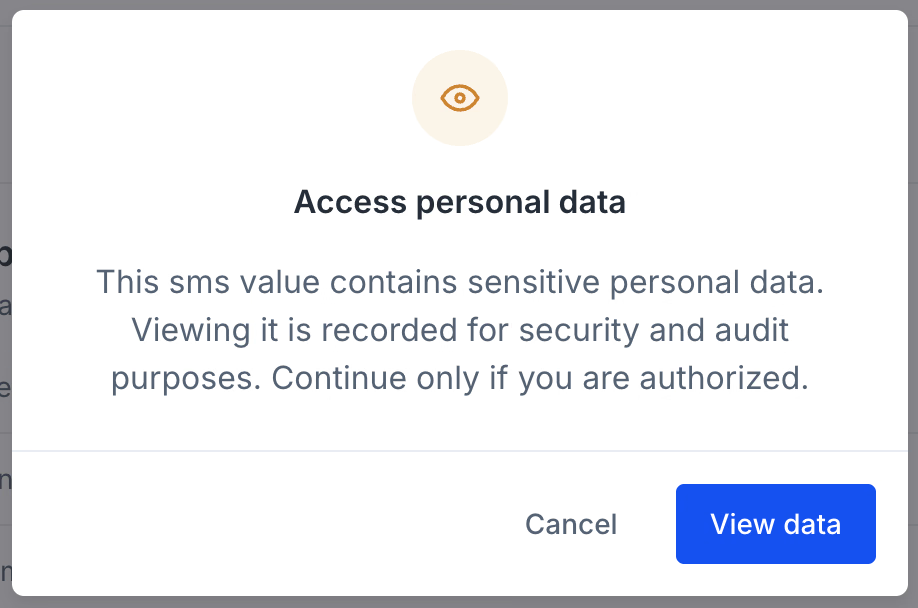
Access personal data
After the contact is revealed, another icon appears next to the eye icon. Click that icon to block the channel.
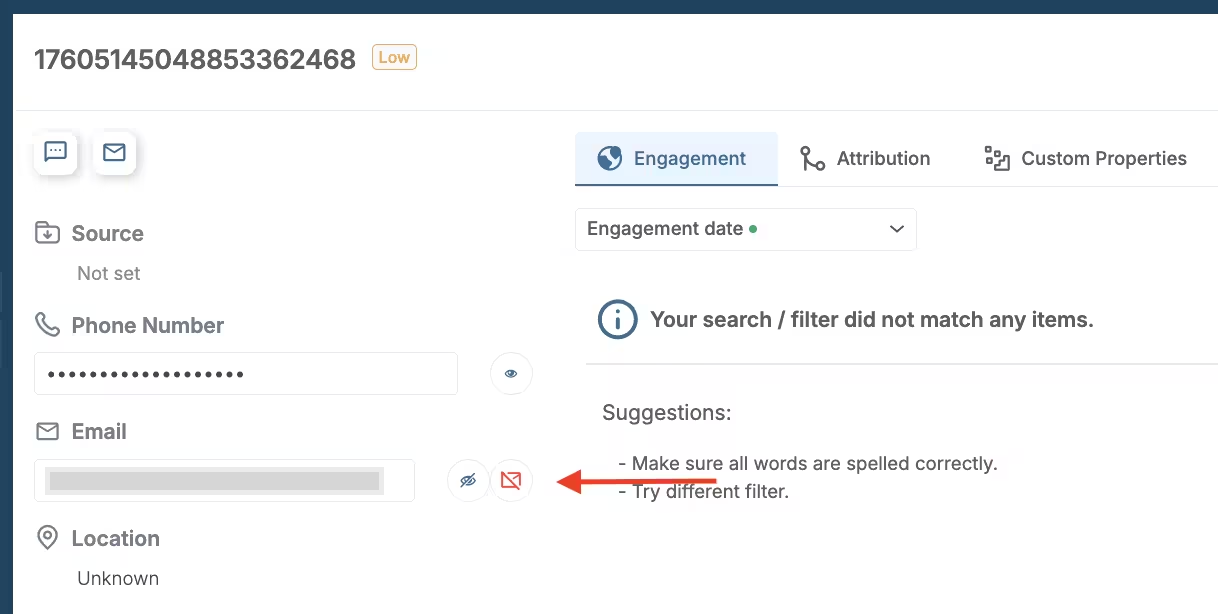
Profiles add to do not contact
Add a description and Add to the list to add the contact to the Do not contact list.