
Feedback
View responses and engagement insights from published feedback modals.
To open Feedback, go to Insights > Feedback.
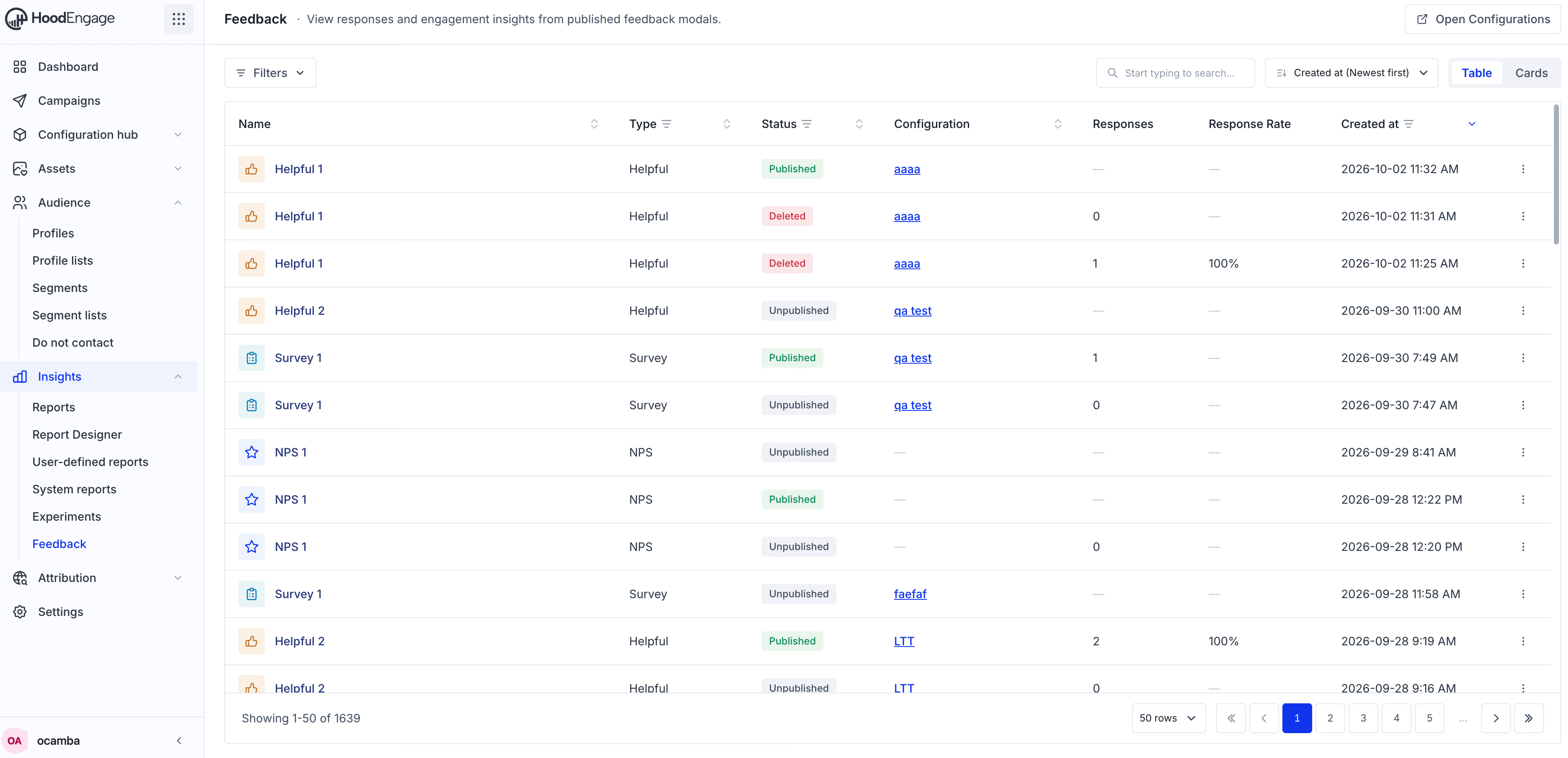
Feedback
The page lists your feedback in a table. Each row shows:
- Name
- Type
- Status
- Configuration
- Responses
- Response Rate
- Created at
In the top right corner, click Open Configurations. That opens the Configurations list in Configuration Hub.
Click the three dots on a row to choose Detail view or Open in configuration.
On the left, below the Feedback title, click Filters and choose:
- Type
- Status
- Created at
On the right, use the search field to search by name. Next to it, choose how the list is ordered:
- Name: A–Z or Z–A
- Type: A–Z or Z–A
- Status: A–Z or Z–A
- Configuration: A–Z or Z–A
- Created at: Newest first or Oldest first
On the same side, switch the view from Table to Cards.