
Reports
The Reports tab opens quick reports for common insights, so you can review key metrics without building custom views from scratch.
To access Reports, navigate to Insights > Reports.
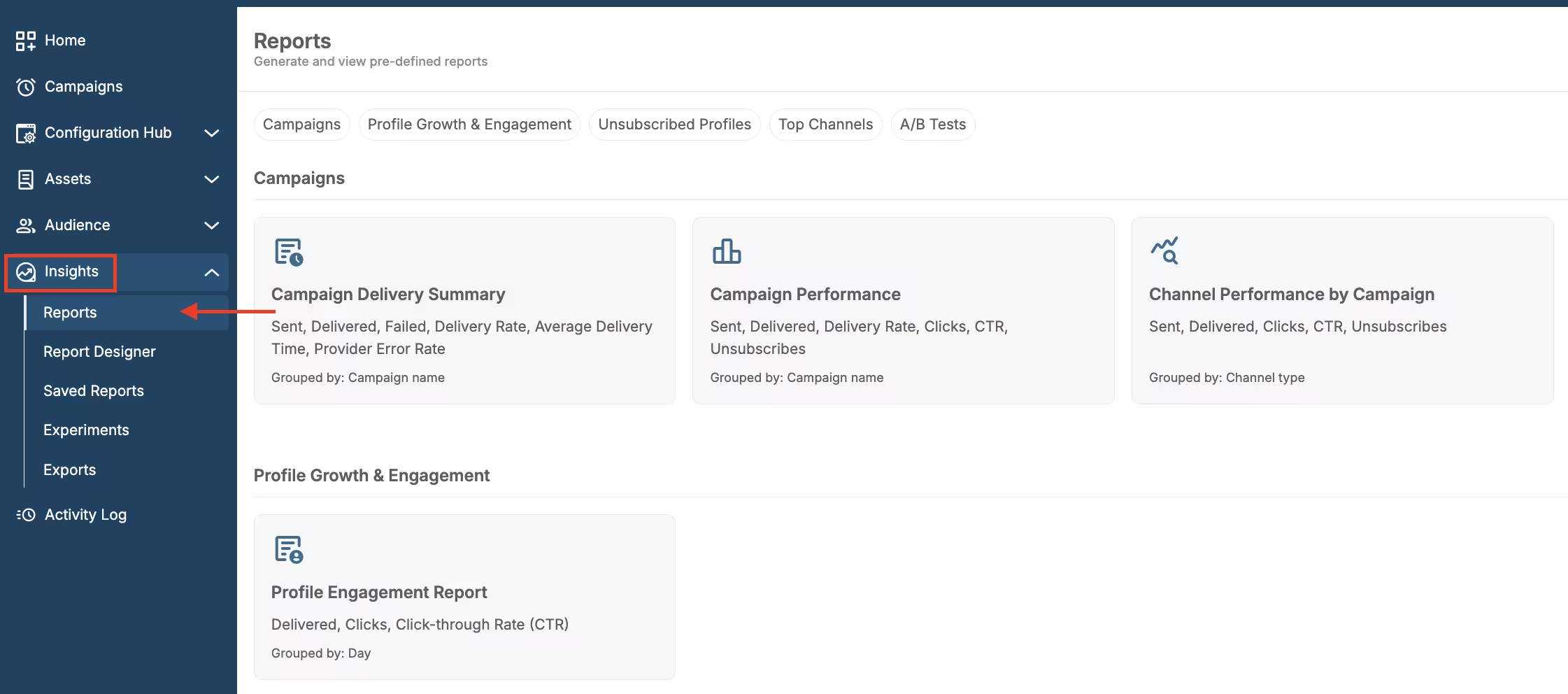
Quick reports location
All available quick reports are listed on this page. Each report shows its name, the metrics it includes, and how the results are grouped. You can search by name or sort the list.
To filter the list, click Filters, then Grouped by, and select one or more options from the menu:
- Campaign name
- Channel
- Channel type
- Day
- Event date
- Modal name
- Test name + variation
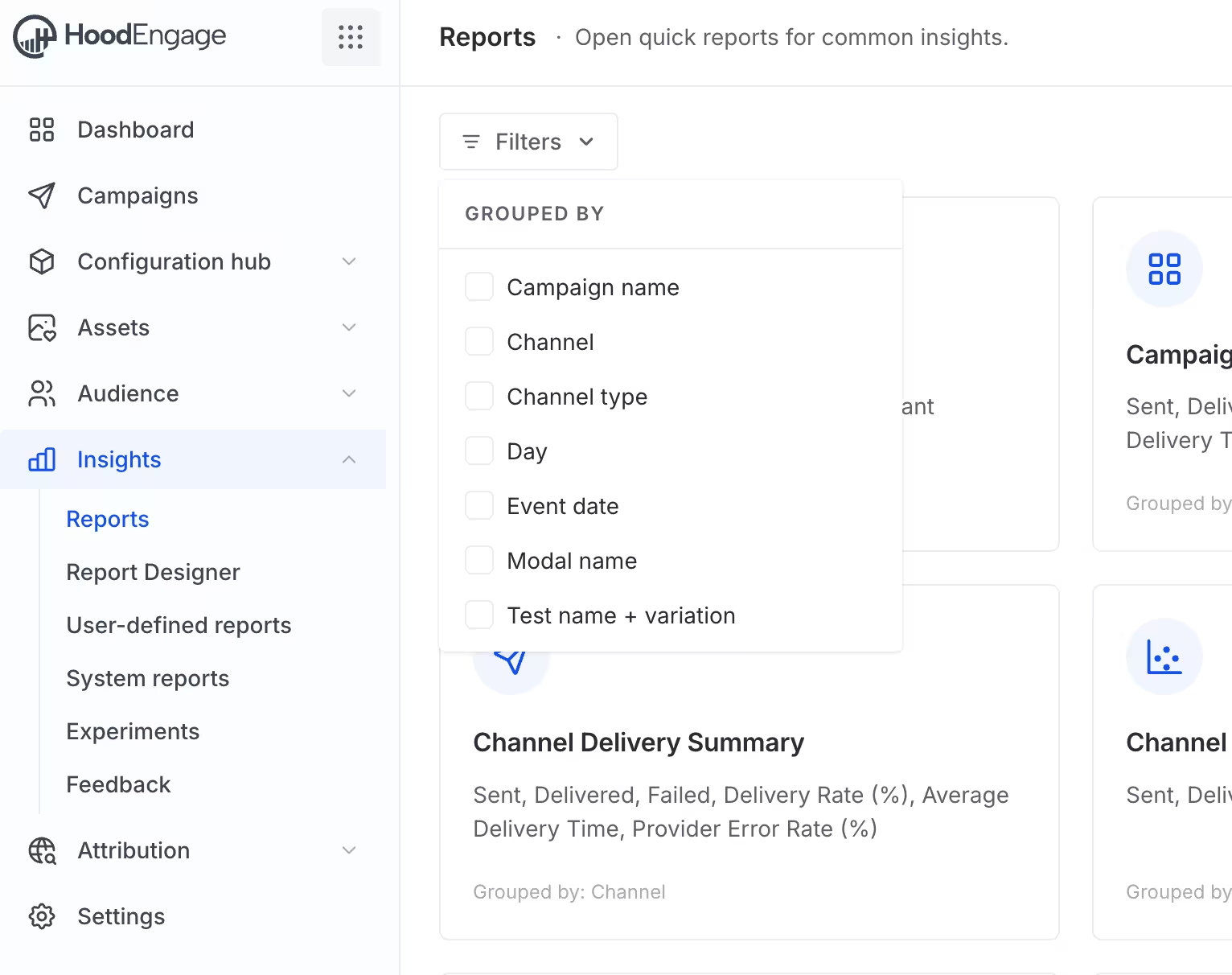
Filter quick reports by Grouped by
To open a report, simply click on it.
The preview with predefined metrics will appear.
In the top right corner, you have option to filter your quick reports.
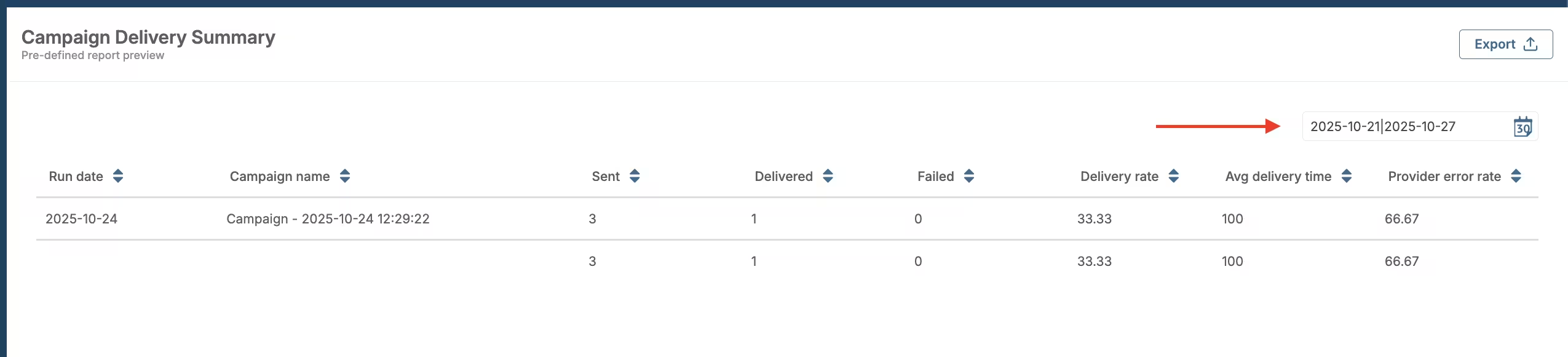
Quick reports filters
Additionally, you can export your quick report by clicking on the Export button in the top right corner. Choose whether you want to export files in JSON or CSV format.
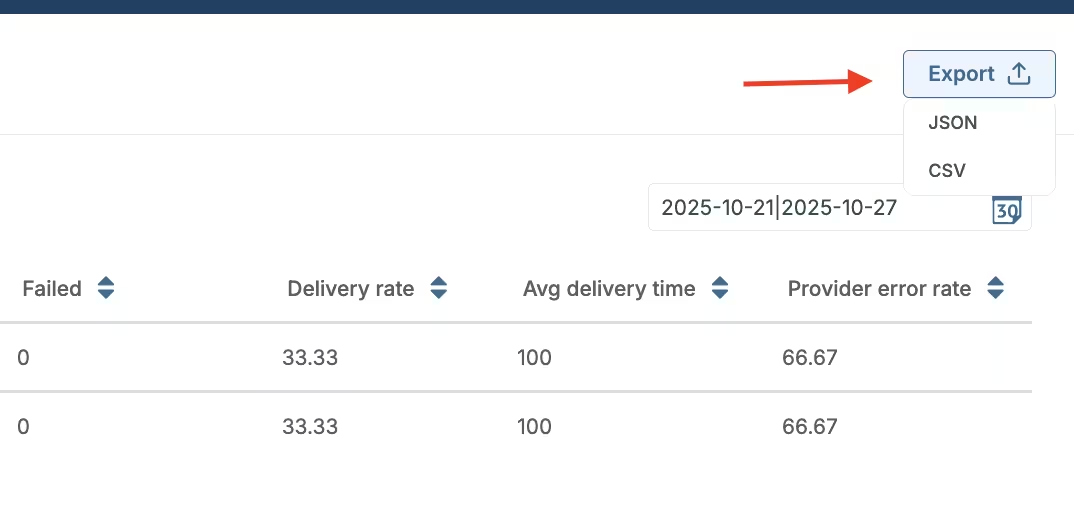
Export quick reports
You can find all reports ready to export in the Exports tab.
To access it, navigate to Insights > Exports.
You will get a notification once your file is ready for download.